
ReachOwl is a powerful tool that allows you to automate friend requests and messaging sequences on Facebook. One of its key features is the ability to extract friends from a specific Facebook profile and engage with them through a message sequence.
In this tutorial, we will walk you through the step-by-step process of setting up a ReachOwl campaign to extract friends from a Facebook profile using a message sequence.
Let’s get started!
Step 1: Create a Campaign on ReachOwl.
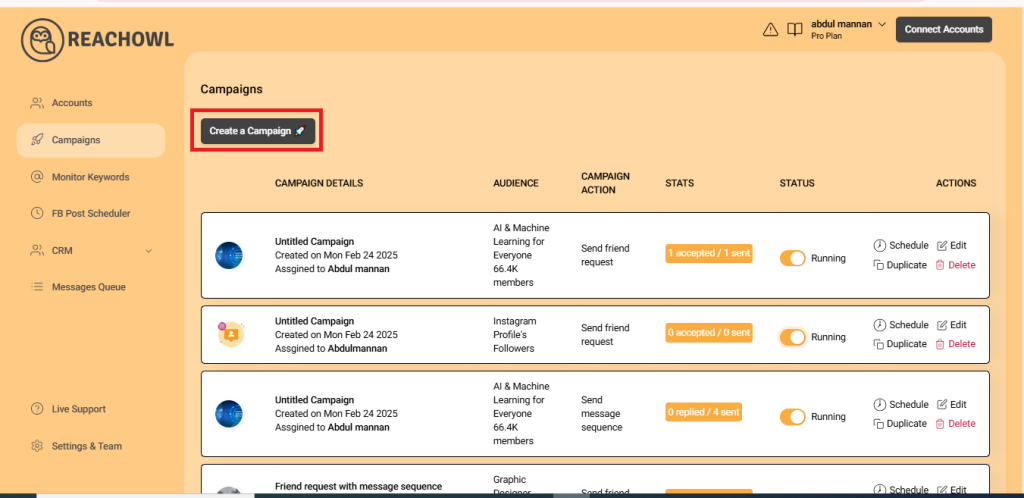
Log in to your ReachOwl account and click on “Create a Campaign” to initiate the friend extraction process.
Step 2: Choose “Facebook Friends of Someone.”
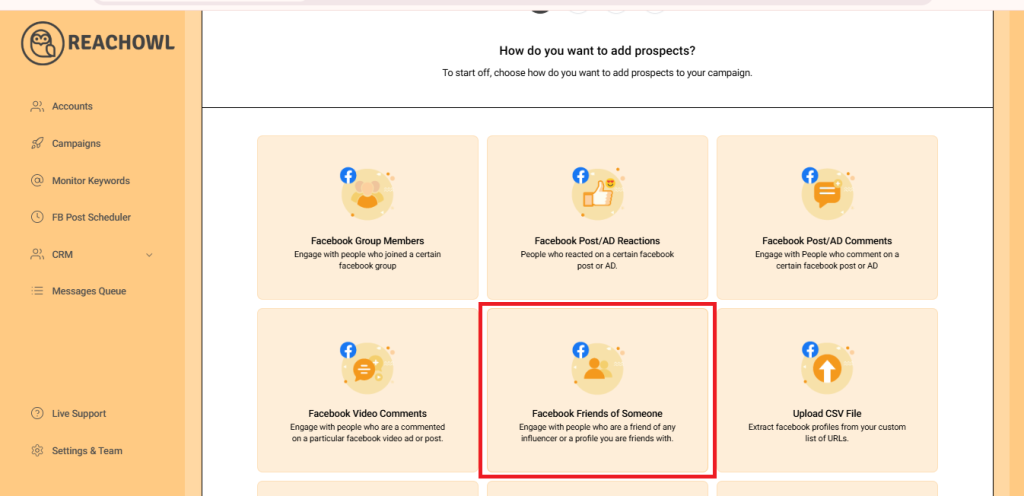
Select the “Facebook Friends of Someone” option, indicating that you want to extract friends from a specific profile.
Step 3: Select a Facebook Profile
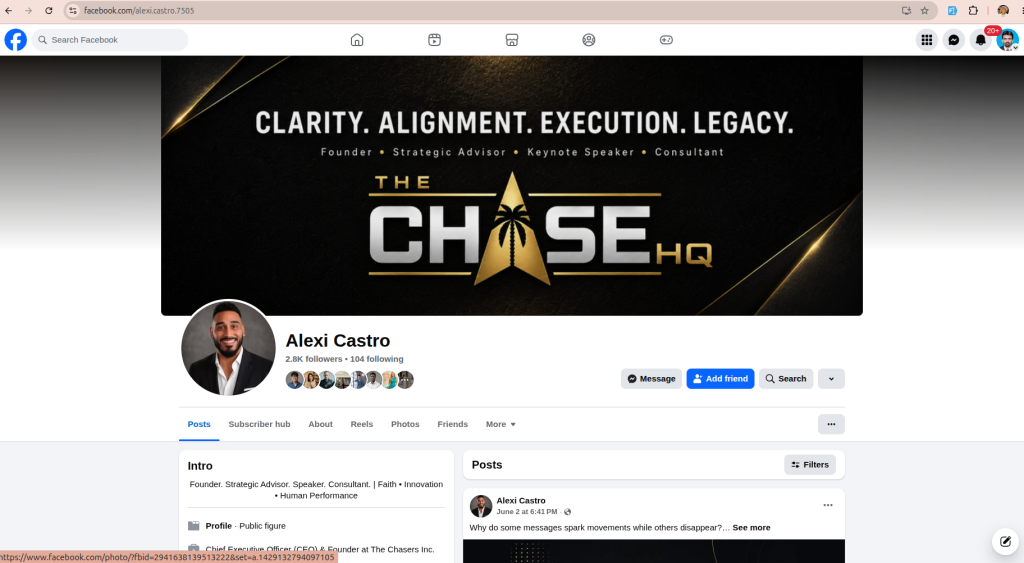
Head over to the Facebook page and choose the profile from which you wish to extract friends. This could be the profile of a person who has a large network or someone whose friends are relevant to your campaign.
Step 4: Choose Friends Option
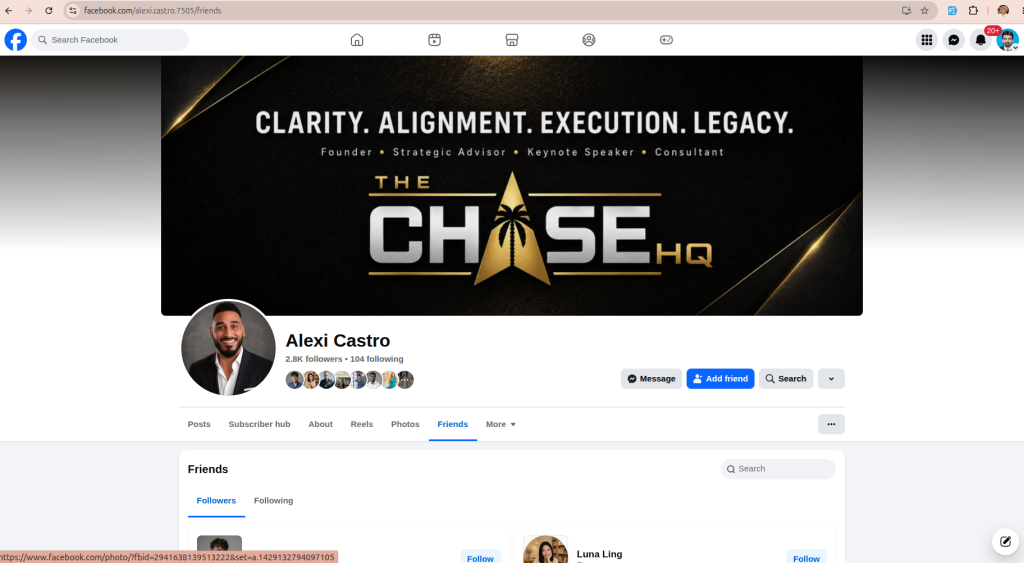
Step 5: Copy the URL
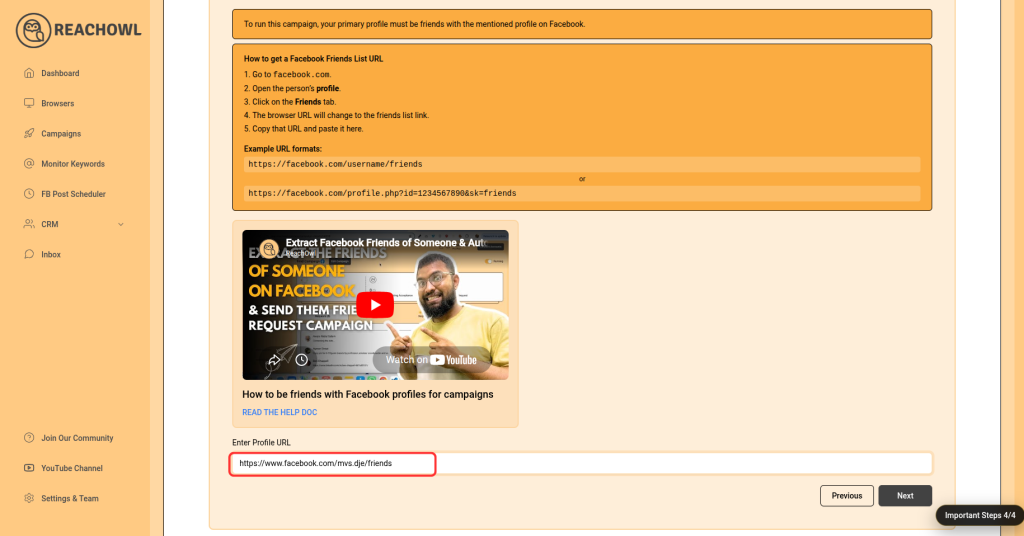
On the Facebook profile page, navigate to the “Friends” section. and then copy the profile url
After copying URL, paste in this input fields
Head back to the ReachOwl page and paste the copied profile ID in the designated area.
Step 6: Proceed to the Next Option
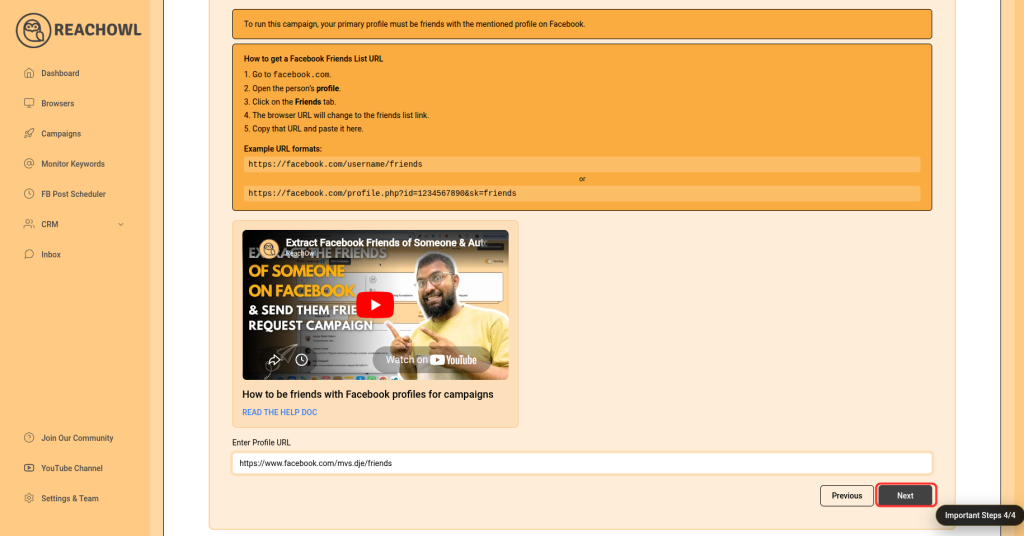
After pasting the profile ID, click on the “Next” button to continue with the friend extraction process.
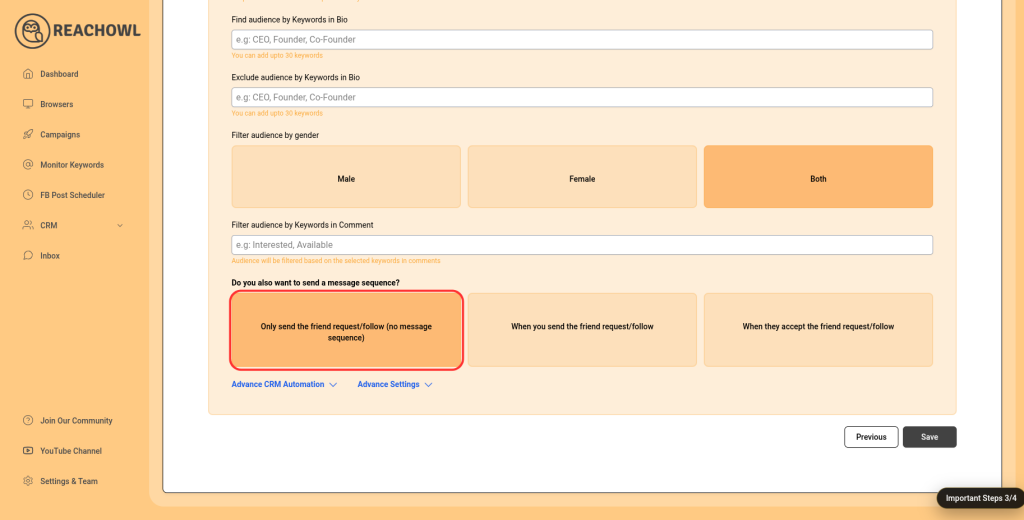
Step 7: Choose the “Message Sequence” option.
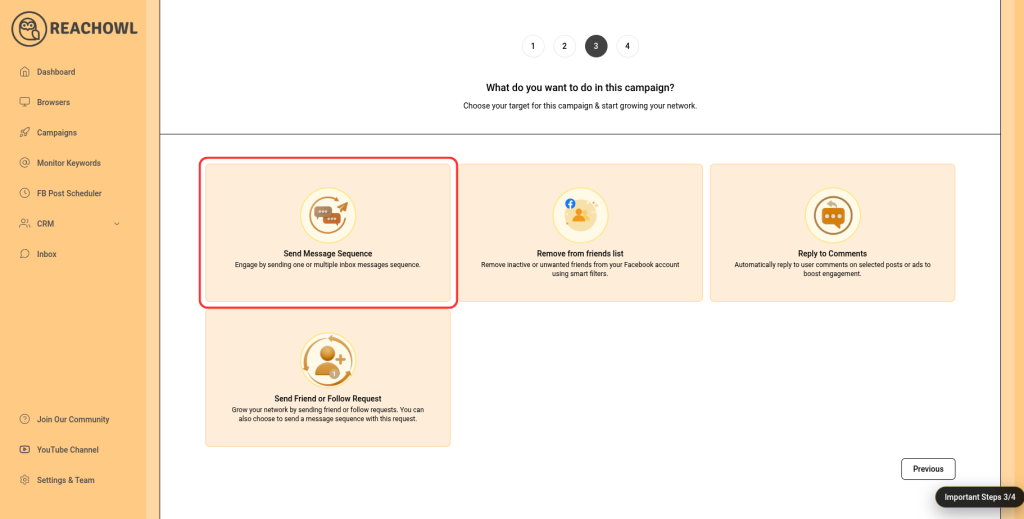
Step 8: Name the Campaign
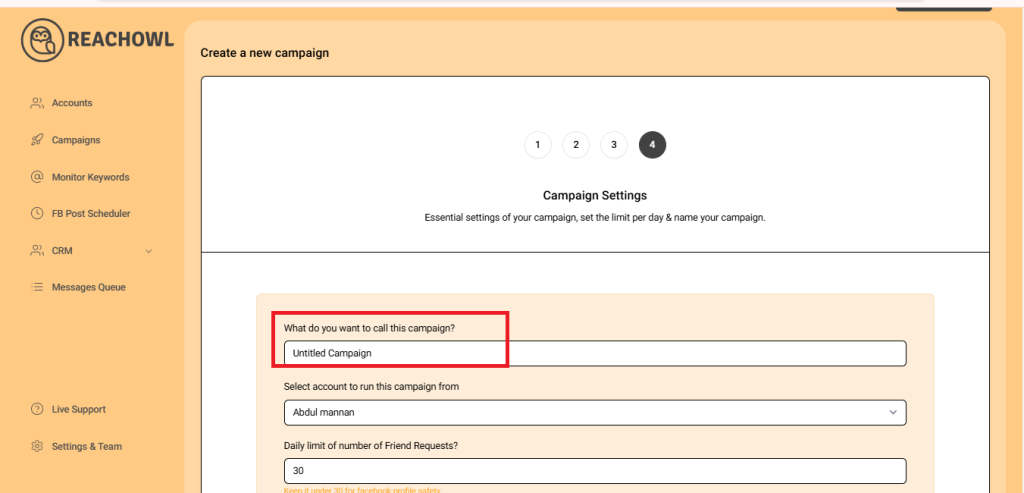
Choose a descriptive name for your campaign that will help you identify it easily in the future.
Step 9: Select the Account to Run Your Campaign
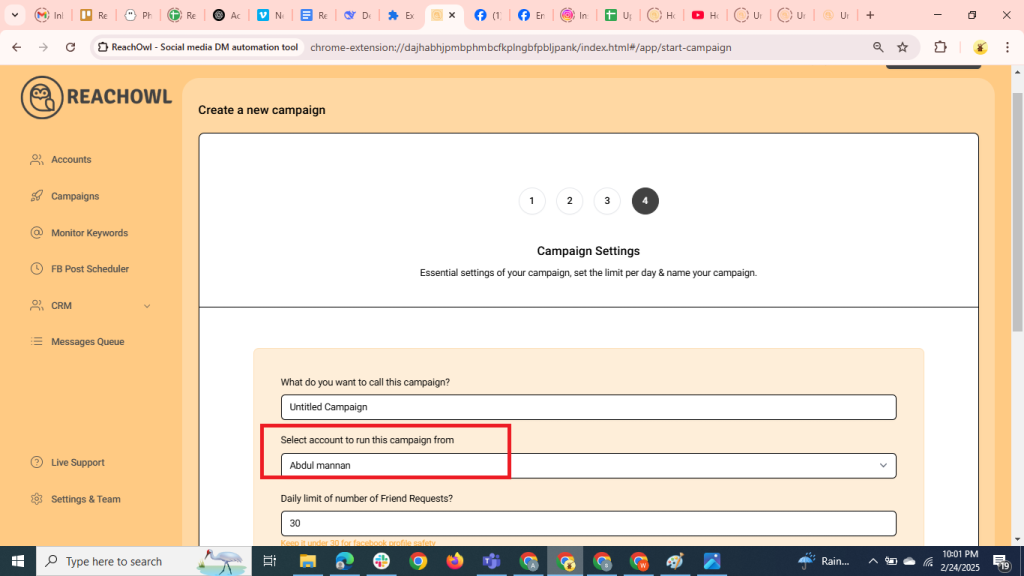
Choose the account from which you want to run the message campaign.
Step 10: Set Up a Daily Limit on the Number of Messages
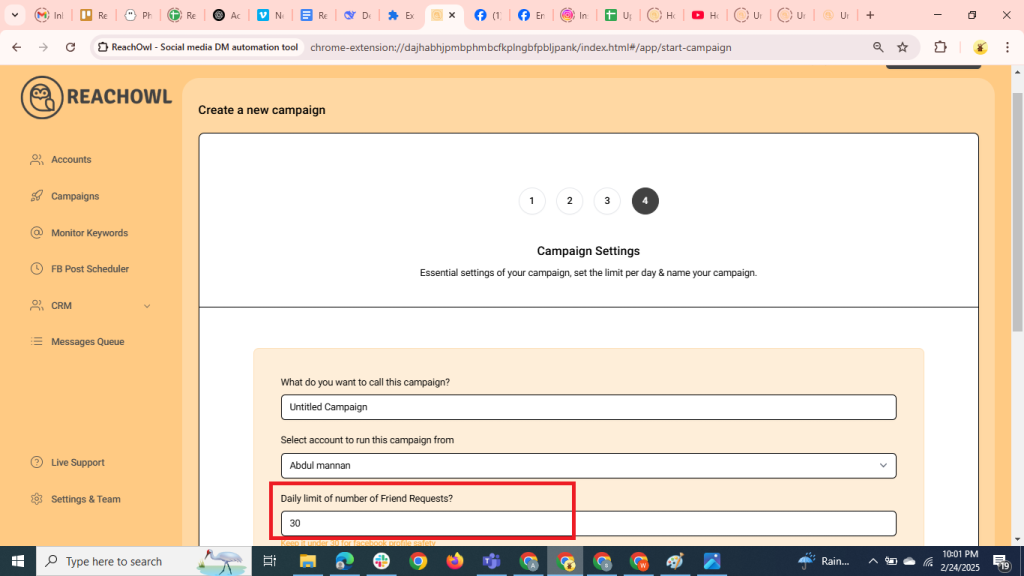
You can control the number of messages sent per day; you can set a daily limit between 5-35 messages depending on the profile value; and you can avoid sending the exact same number of messages with the same message every day and make sure to shuffle your script or use a different script every two days.
Step 11: Define Your Target Audience
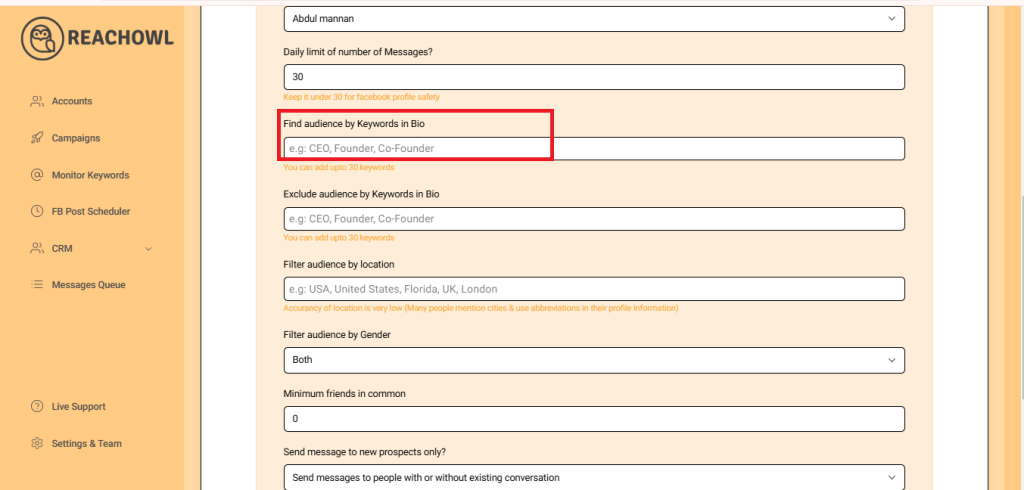
Determine the keywords you want to target in the bio to identify potential recipients. For example, CEO, Founder, Entrepreneur, Business Owner, etc.
Step 12: Exclude Audiences with Certain Words
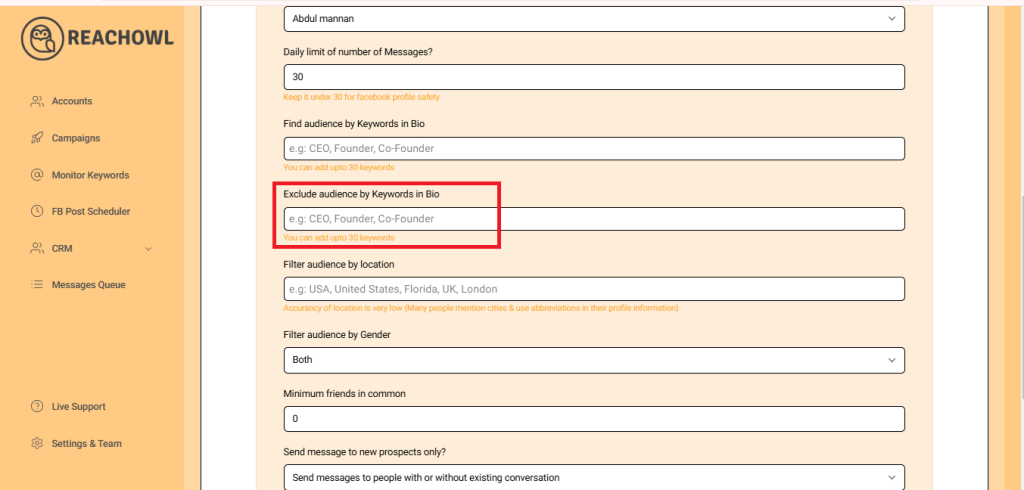
Identify the keywords that indicate you want to exclude certain groups from the campaign. For instance, a freelancer, student, intern, etc.
Step 13: Set the Minimum Number of Friends in Common
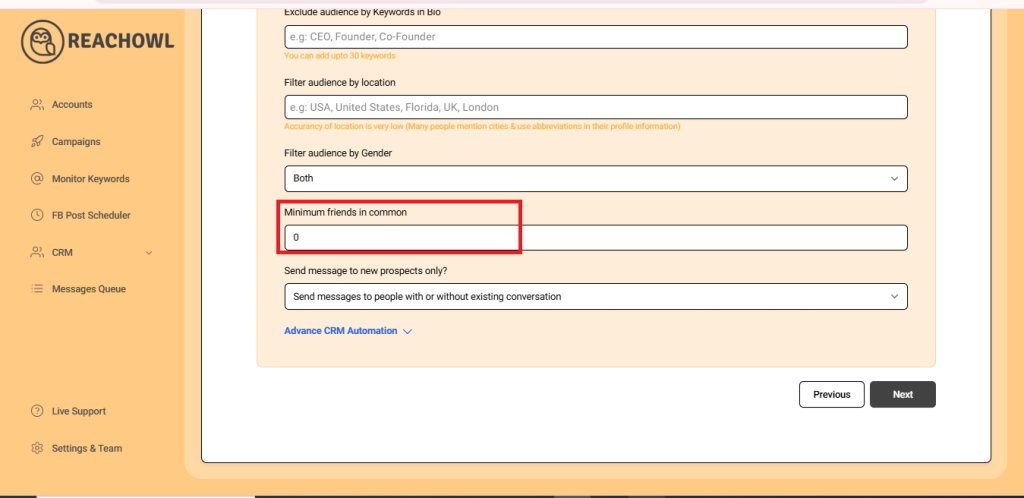
You can choose to establish a minimum number of friends in common that are required to send the messaging campaign.
Step 14: Send messages to new prospects only?
You can choose whether you want to send the campaigns to new people or to the people you already have conventions with.
Step 15: Click Next
After filling out the options, click on next.
Step 16: Compose the Message
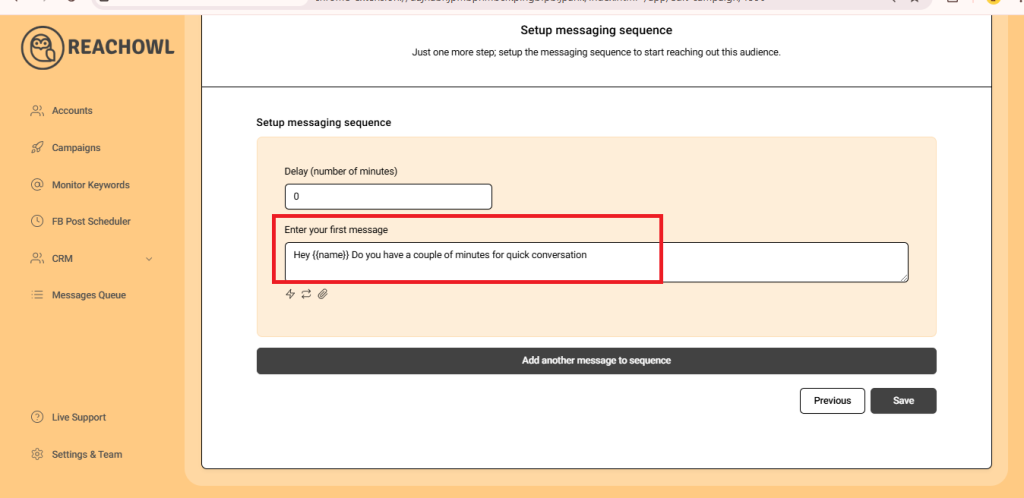
Now it’s time to craft your message sequence. Use the name variable, denoted by double curly braces ({{name}}), to personalise the messages with the recipient’s name.
Step 17: Add Multiple Messages
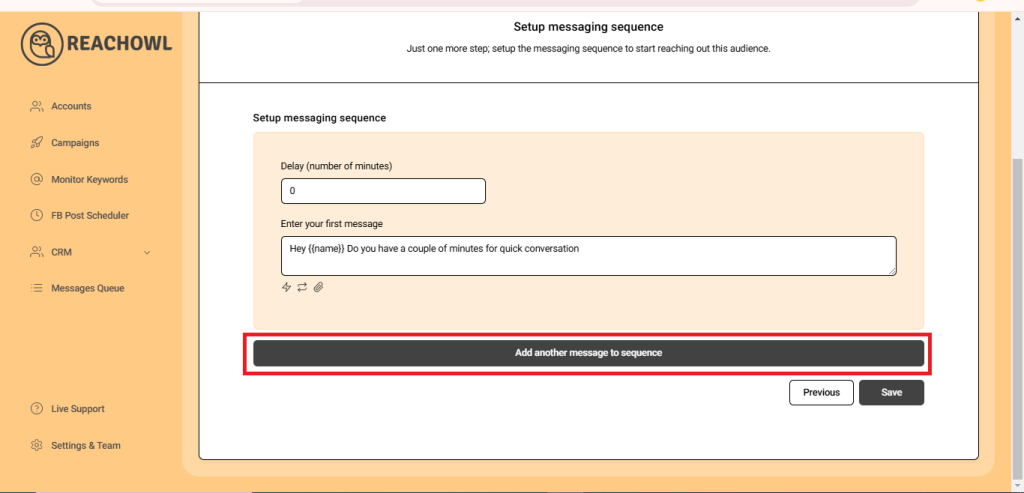
Click on “Add another message to the sequence” and create additional compelling messages that resonate with your target audience.
Step 18: Set Up the Messaging Sequence
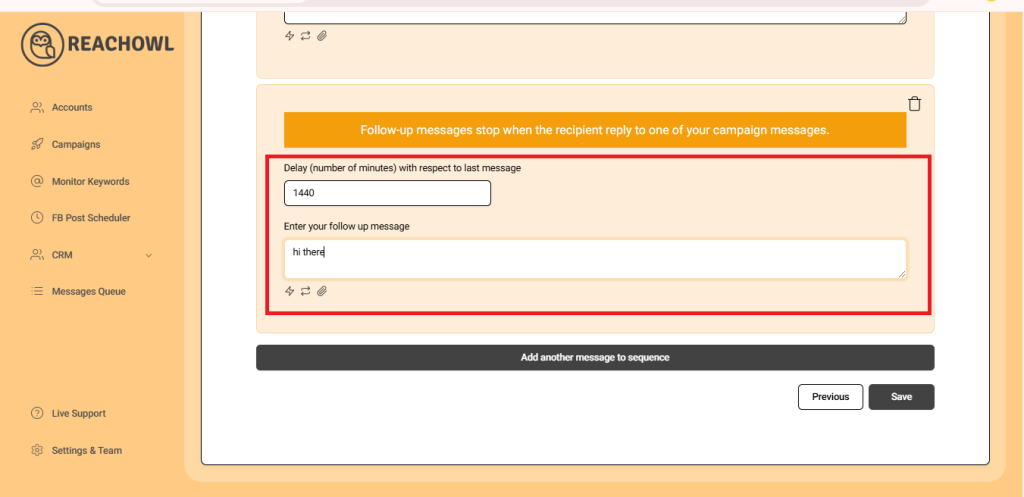
Craft a follow-up message and set a delay (e.g., a specific number of minutes) between each message in the sequence. This staggered approach helps ensure that your messages are not perceived as spam.
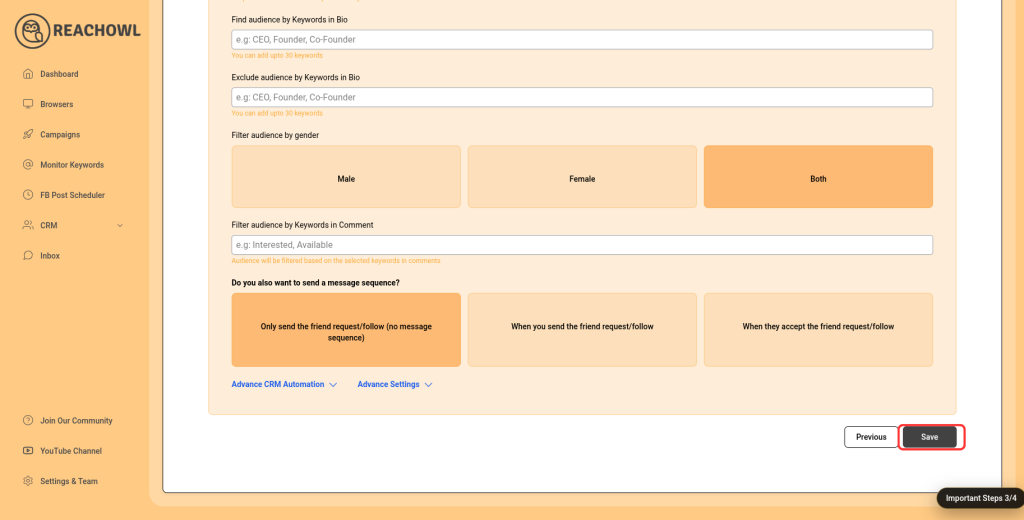
Step 19: Save Your Campaign
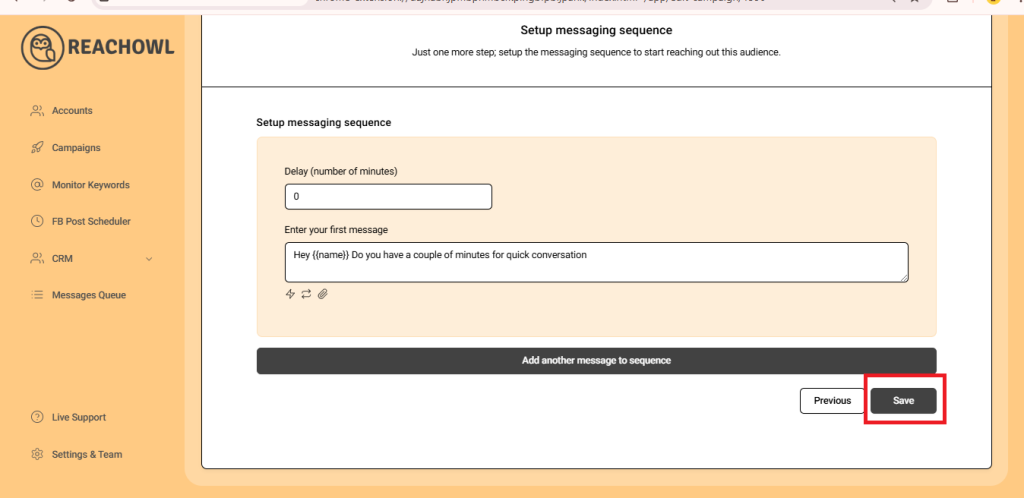
Once you’ve fine-tuned your messaging sequence, click “Save” to preserve your campaign settings.
Step 20: Start Your Campaign
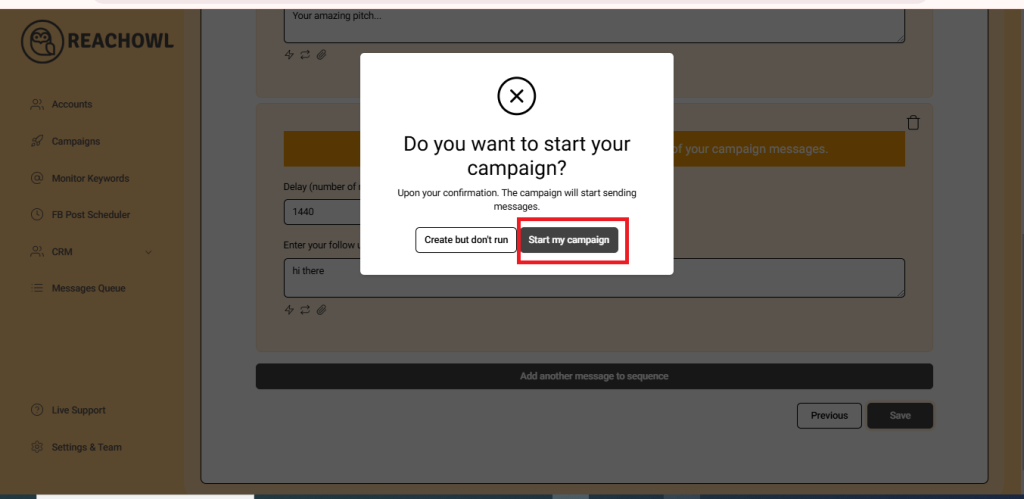
Finally, you’re ready to start your messaging campaign! Click on “Start My Campaign” to initiate the outreach process.
Step 21: Monitor and Manage
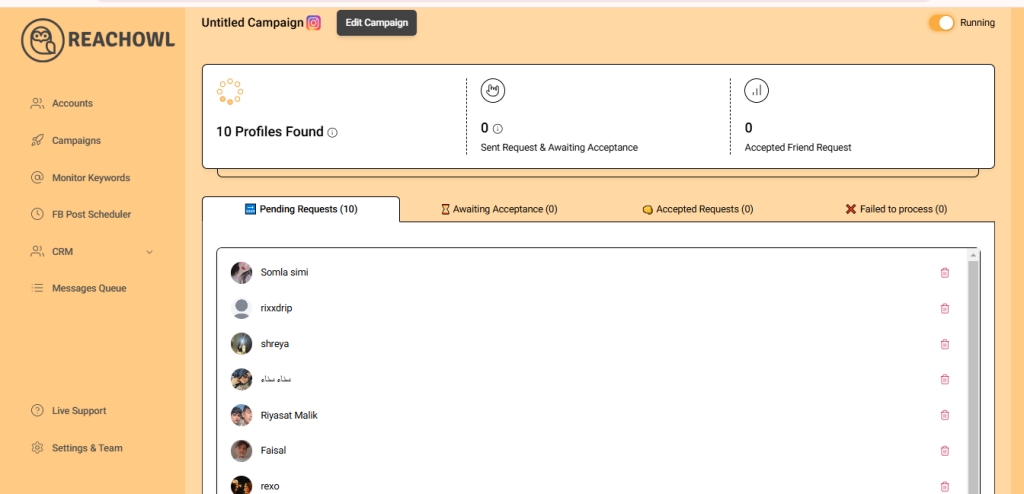
As your campaign progresses, ReachOwl will keep you updated on its status. You can view the audience members who have been contacted and make adjustments as needed.
Conclusion
By following these steps, you can efficiently extract friends from a Facebook profile and engage with them through a personalised message sequence using ReachOwl responsibly, and authentically connect with your new connections to foster meaningful relationships.
Need More Help?
If you’d like to learn more about Facebook outreach automation and audience engagement, check out these helpful resources:
- Visit ReachOwl’s official website to explore more features and automation strategies: https://reachowl.com
- Browse the ReachOwl YouTube channel for detailed tutorials and step-by-step guides.
- Learn Facebook’s best practices for building authentic relationships and engaging with your audience responsibly.
Remember, successful outreach isn’t just about automation—it’s about creating genuine conversations and building long-term connections. Always personalize your messages, provide value to your audience, and follow Facebook’s community guidelines to maintain a positive user experience.
If you encounter any issues while setting up your campaigns, the ReachOwl support team is available to help you get the most out of your automation efforts.
Happy networking and happy campaigning!