
Reaching out to users who engage with your video ads on Facebook is a key aspect of successful social media marketing.
With ReachOwl, you can easily create a campaign that targets individuals who have commented on your Facebook video ads, allowing you to establish meaningful connections and foster engagement.
Steps to create Facebook Post Commenters Campaign
In this tutorial, we will guide you through the step-by-step process of setting up a ReachOwl campaign with a message sequence to outreach people who commented on your video ad.
Let’s get started!
Step 1: Select the “Create Your First Campaign” option
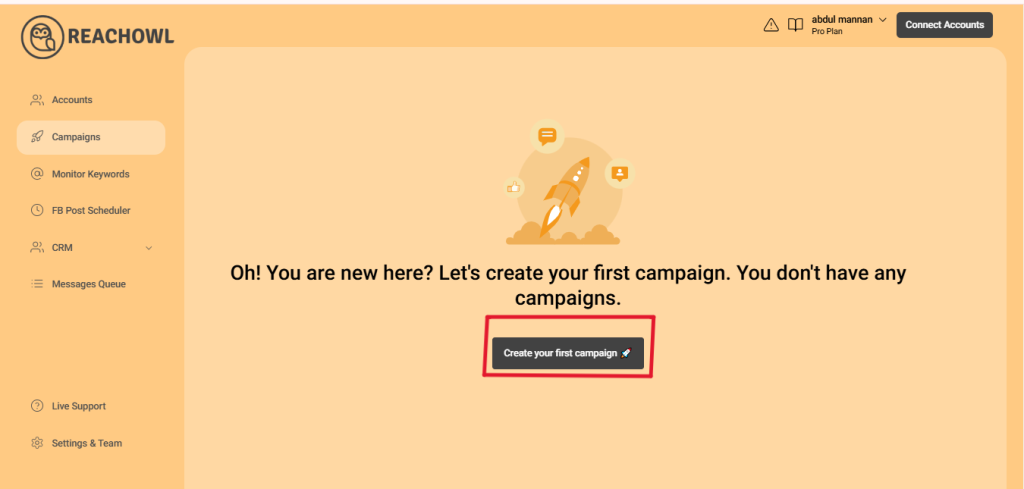
Log in to your ReachOwl account and select the “Create Campaign” option to initiate the campaign setup.
Step 2: Choose the “Facebook Video Comment” option
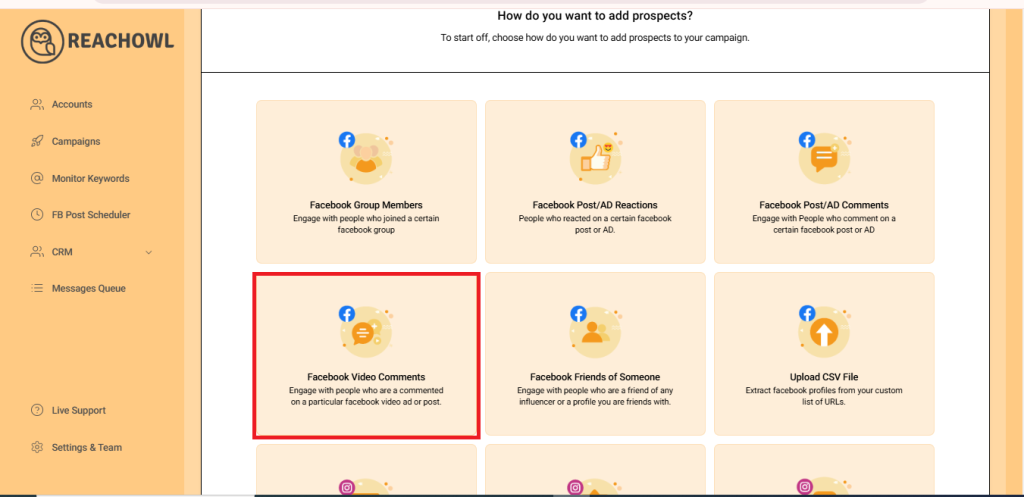
From the campaign creation options, select “Facebook Video Comment” as your desired campaign type.
Step 3: Find the Video and Copy the link
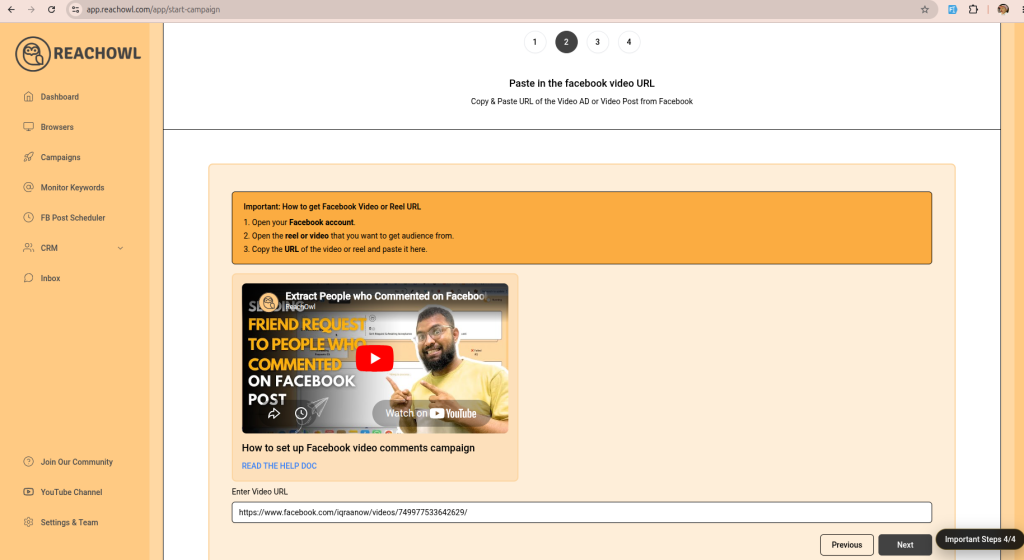
Choose Facebook video or reel click on it to run then copy the video URL from facebook
Step 4: Paste the Video Post Link into ReachOwl
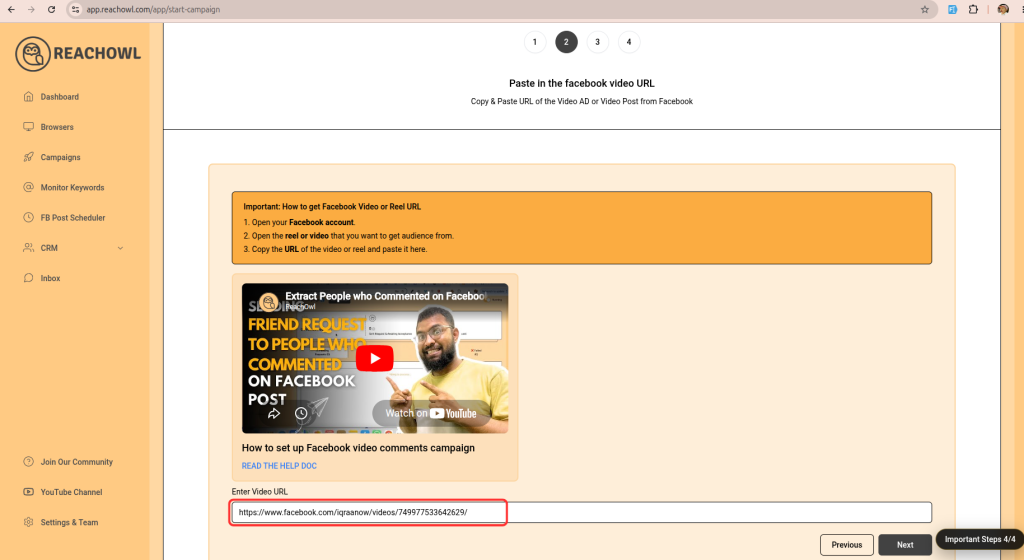
Head back to the ReachOwl page and paste the copied video post URL in the designated area.
Step 5: Click on Next”
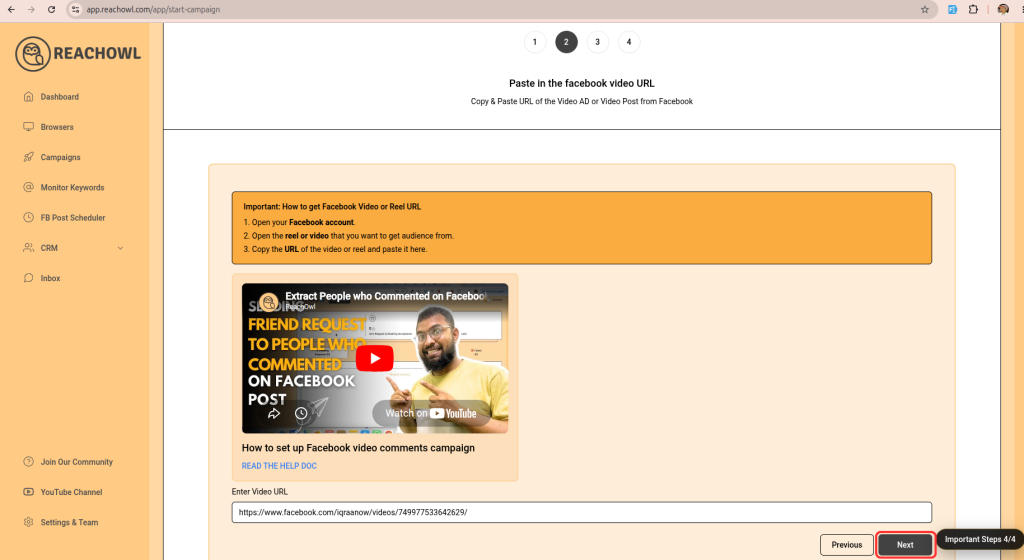
After pasting the post Link, click on the “Next” button to proceed.
Step 6: Choose the “Message Sequence” option
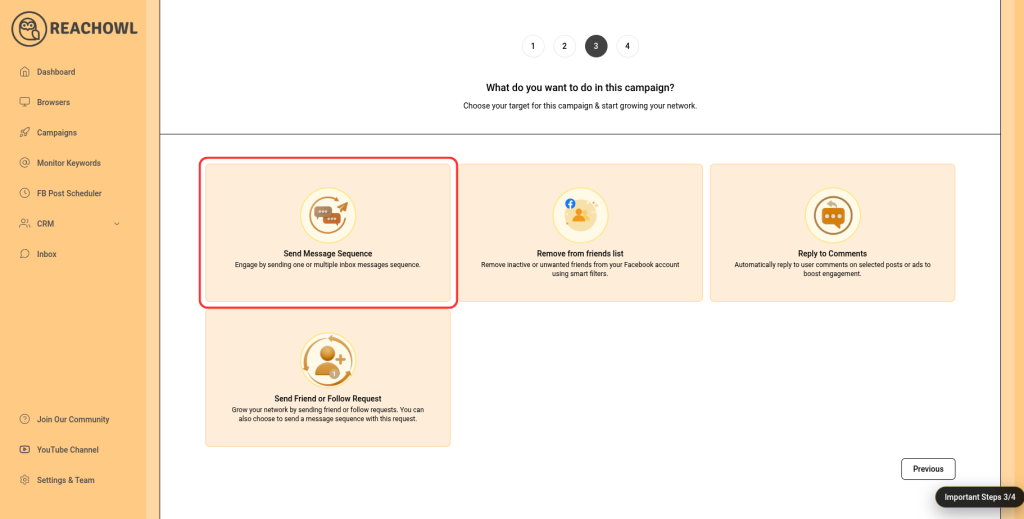
Step 7: Name the Campaign
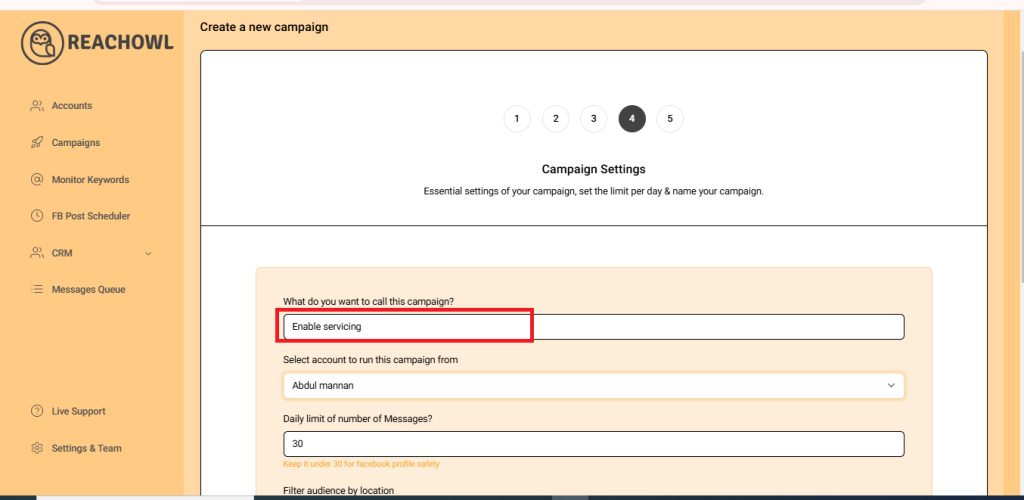
Choose a descriptive name for your campaign that will help you identify it easily in the future.
Step 8: Select the Account to Run Your Campaign
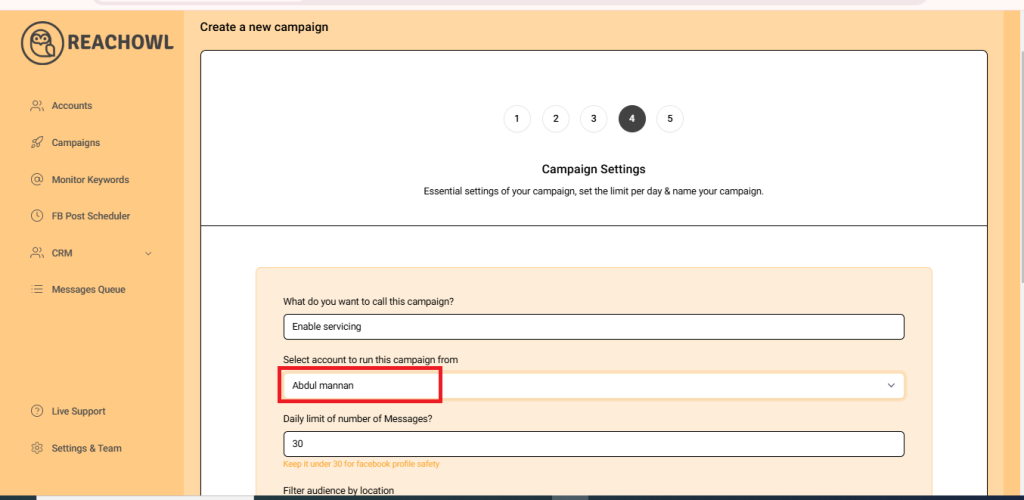
Choose the account from which you want to run the message campaign.
Step 9: Set Up a Daily Limit on the Number of Messages
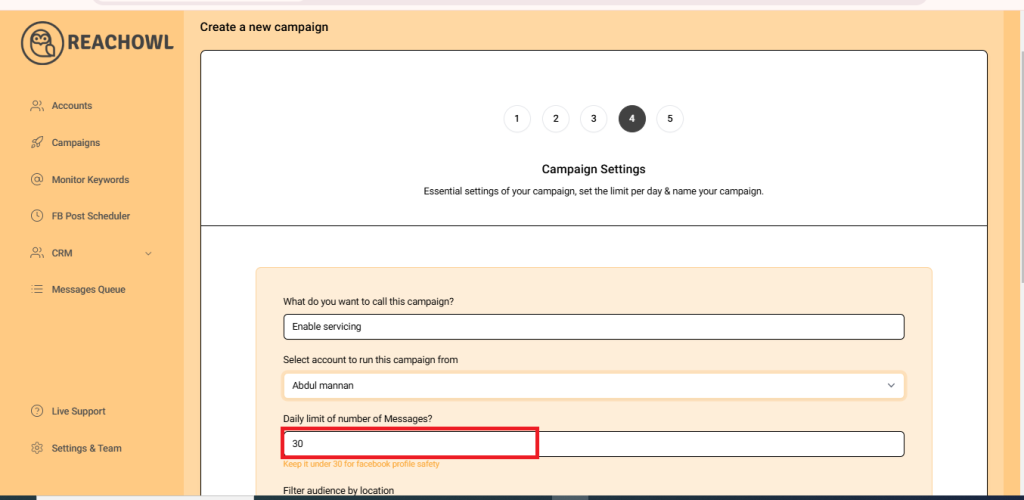
You can control the number of messages sent per day; you can set a daily limit between 5-30 messages depending on the profile value; and you can avoid sending the exact same number of messages with the same message every day and make sure to shuffle your script or use a different script every two days.
Step 10: Include and Exclude Audiences with Certain Words
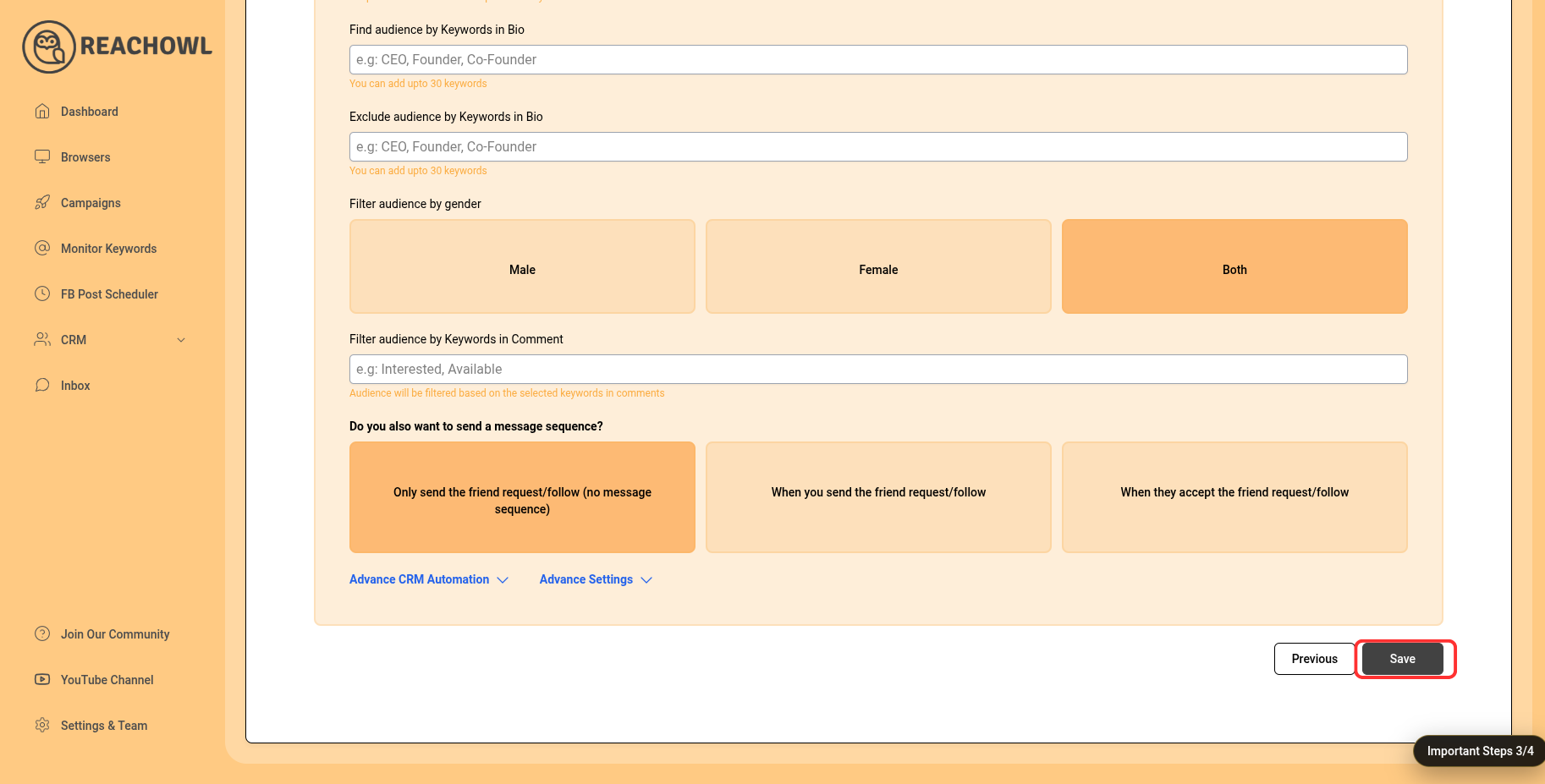
Determine the keywords you want to target in the bio to identify potential recipients. For example, CEO, Founder, Entrepreneur, Business Owner, etc.
Identify the keywords that indicate you want to exclude certain groups from the campaign. For instance, a freelancer, student, intern, etc.
Step 11: Send messages to new prospects only?
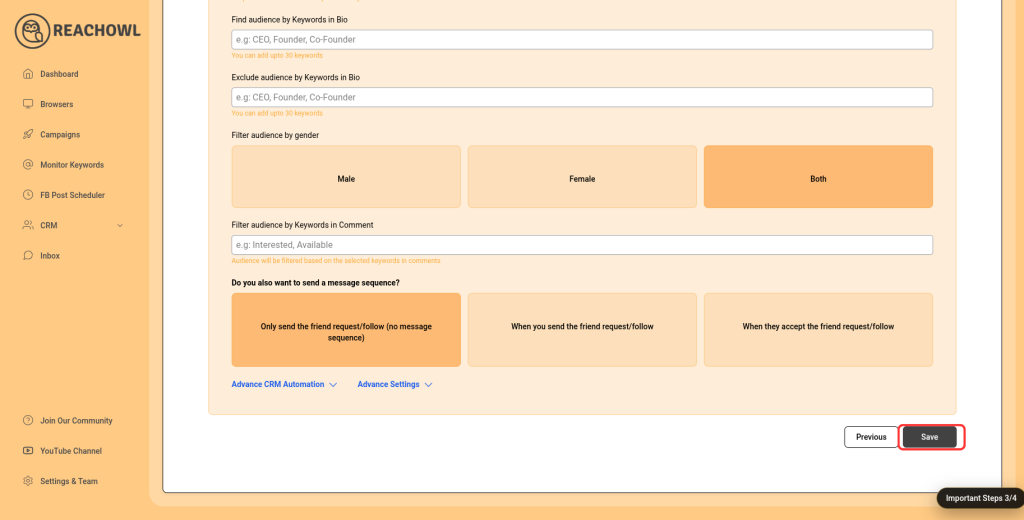
You can choose whether you want to send the campaigns to new people or to the people you already have conventions with.
Step 12: Click Next
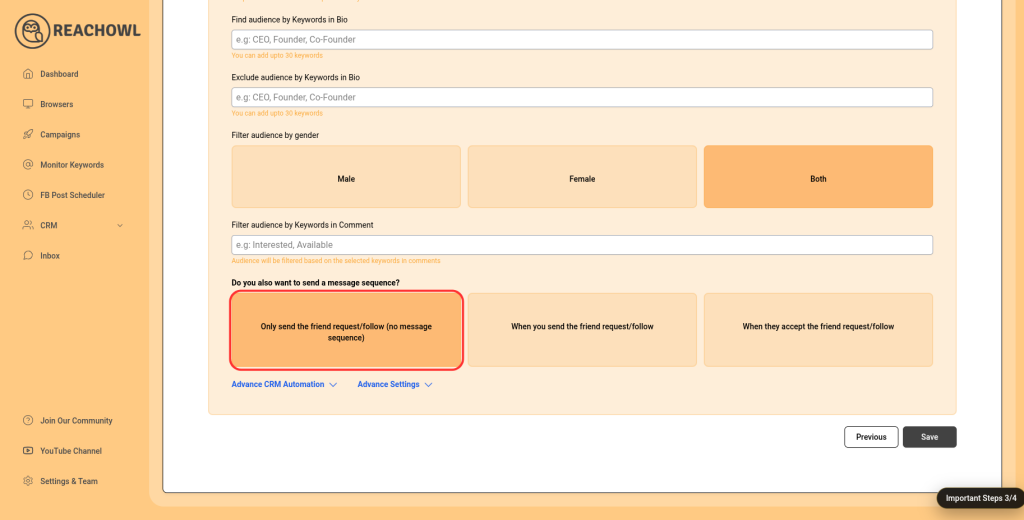
After filling out the options, click on next.
Step 13: Compose the Message
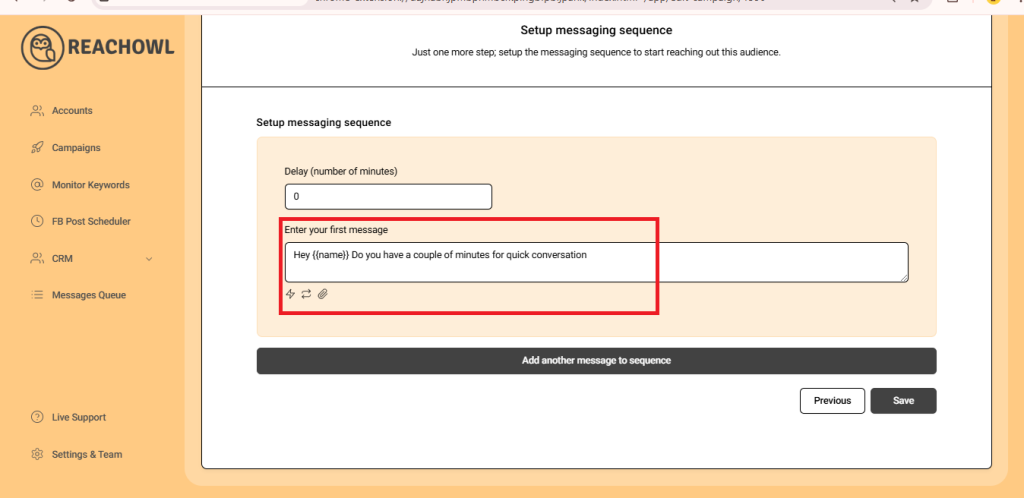
Now it’s time to craft your message sequence. Use the name variable, denoted by double curly braces ({{name}}), to personalise the messages with the recipient’s name.
Step 14: Add Multiple Messages
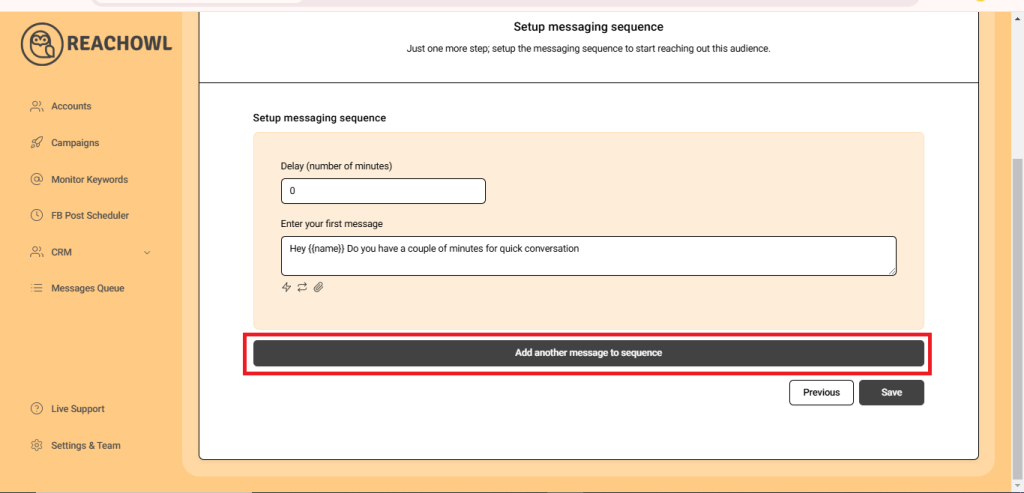
Click on “Add another message to the sequence” and create additional compelling messages that resonate with your target audience.
Step 15: Set Up the Messaging Sequence
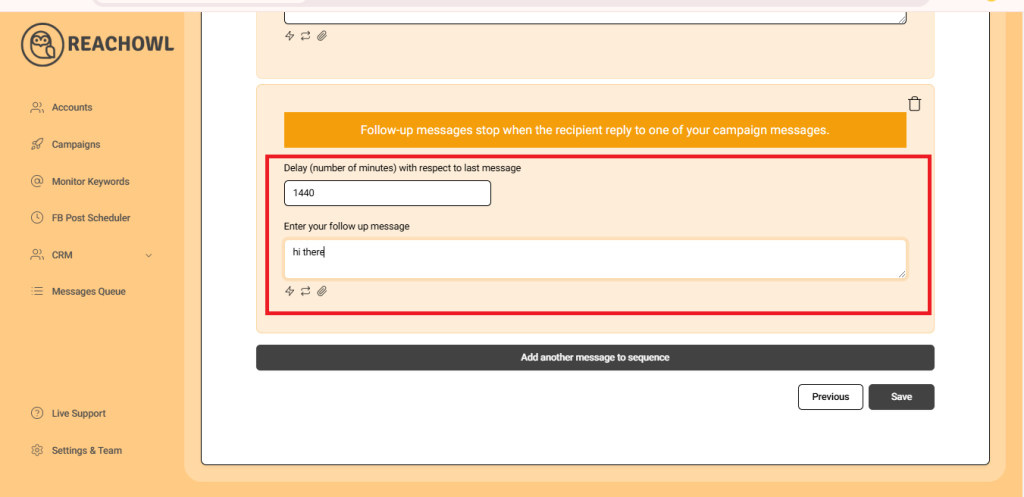
Craft a follow-up message and set a delay (e.g., a specific number of minutes) between each message in the sequence. This staggered approach helps ensure that your messages are not perceived as spam.
Step 16: Save Your Campaign
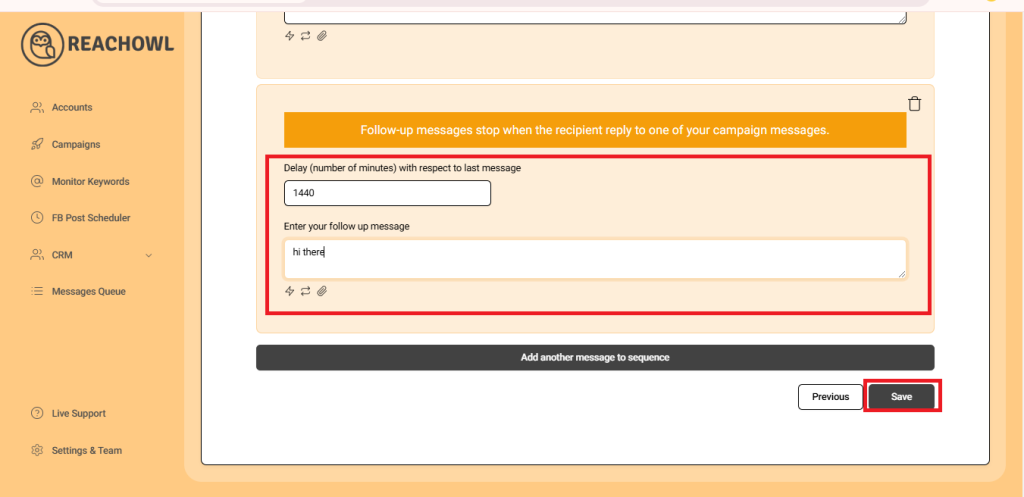
Once you’ve fine-tuned your messaging sequence, click “Save” to preserve your campaign settings.
Step 17: Start Your Campaign
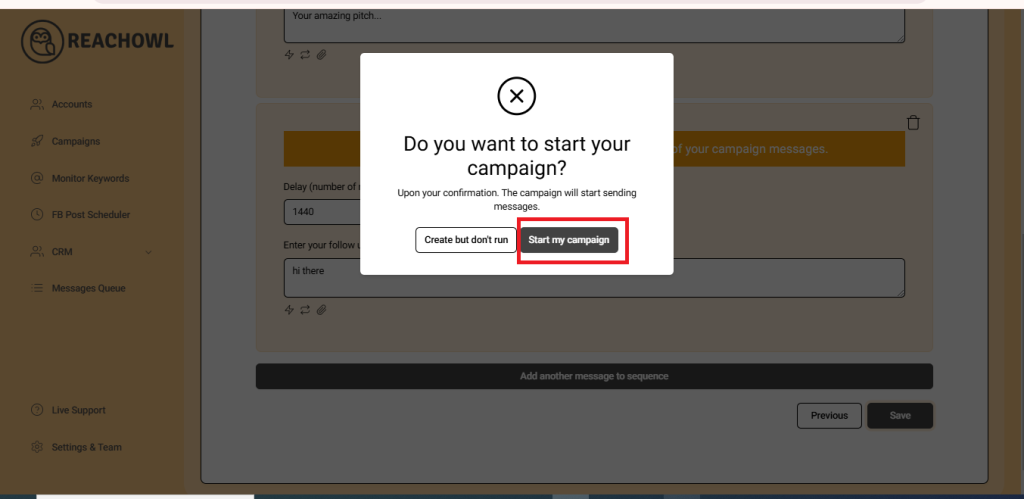
Finally, you’re ready to start your messaging campaign! Click on “Start My Campaign” to initiate the outreach process.
Step 18: Monitor and Manage
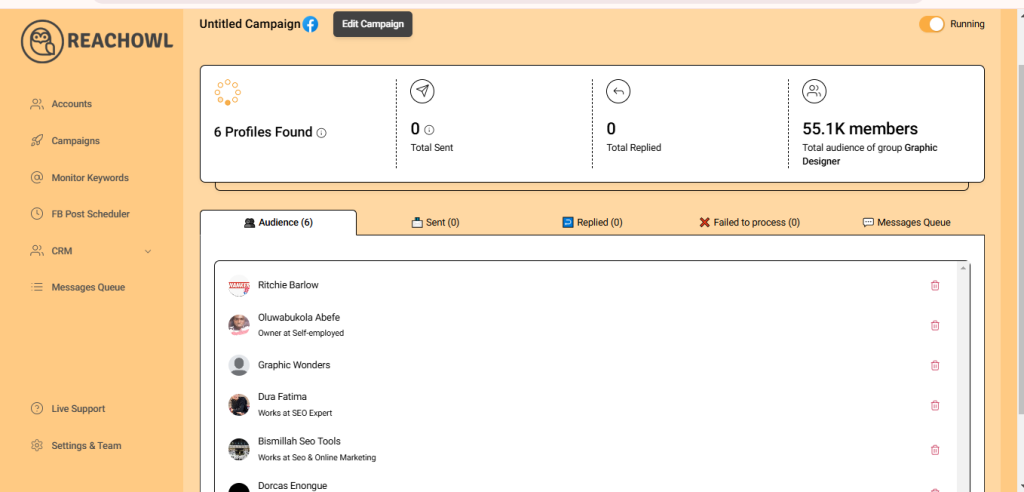
As your campaign progresses, ReachOwl will keep you updated on its status. You can view the audience members who have been contacted and make adjustments as needed.
Conclusion
With ReachOwl’s powerful features and the step-by-step guide provided above, setting up a campaign to reach people who commented on your Facebook video ad becomes a seamless process.
Using ReachOwl, you can identify, scrape, and engage audiences from virtually any public Facebook video, including your own content and competitor advertisements. This allows you to connect with highly engaged prospects who have already shown interest in a particular topic, product, or service.
The key to success is combining automation with personalization. By sending relevant messages, providing genuine value, and building authentic relationships, you can significantly improve your outreach results while maintaining a positive experience for your audience.
Additional Resources
To continue improving your Facebook outreach strategy, explore these helpful resources:
- ReachOwl Official Website: https://reachowl.com
- ReachOwl Knowledge Base and Tutorials: https://help.reachowl.com
- ReachOwl YouTube Tutorials for advanced campaign setups and automation techniques.
Whether you’re generating leads, building relationships, promoting offers, or growing your network, ReachOwl provides the tools needed to streamline your workflow and maximize engagement.
Happy campaigning with ReachOwl!