WhatsApp is one of the most popular ways for businesses, communities, and professionals to communicate with their audience. But when you need to reach a large number of contacts, WhatsApp messaging manually can quickly become repetitive and time-consuming.
That’s why ReachOwl is introducing WhatsApp automation.
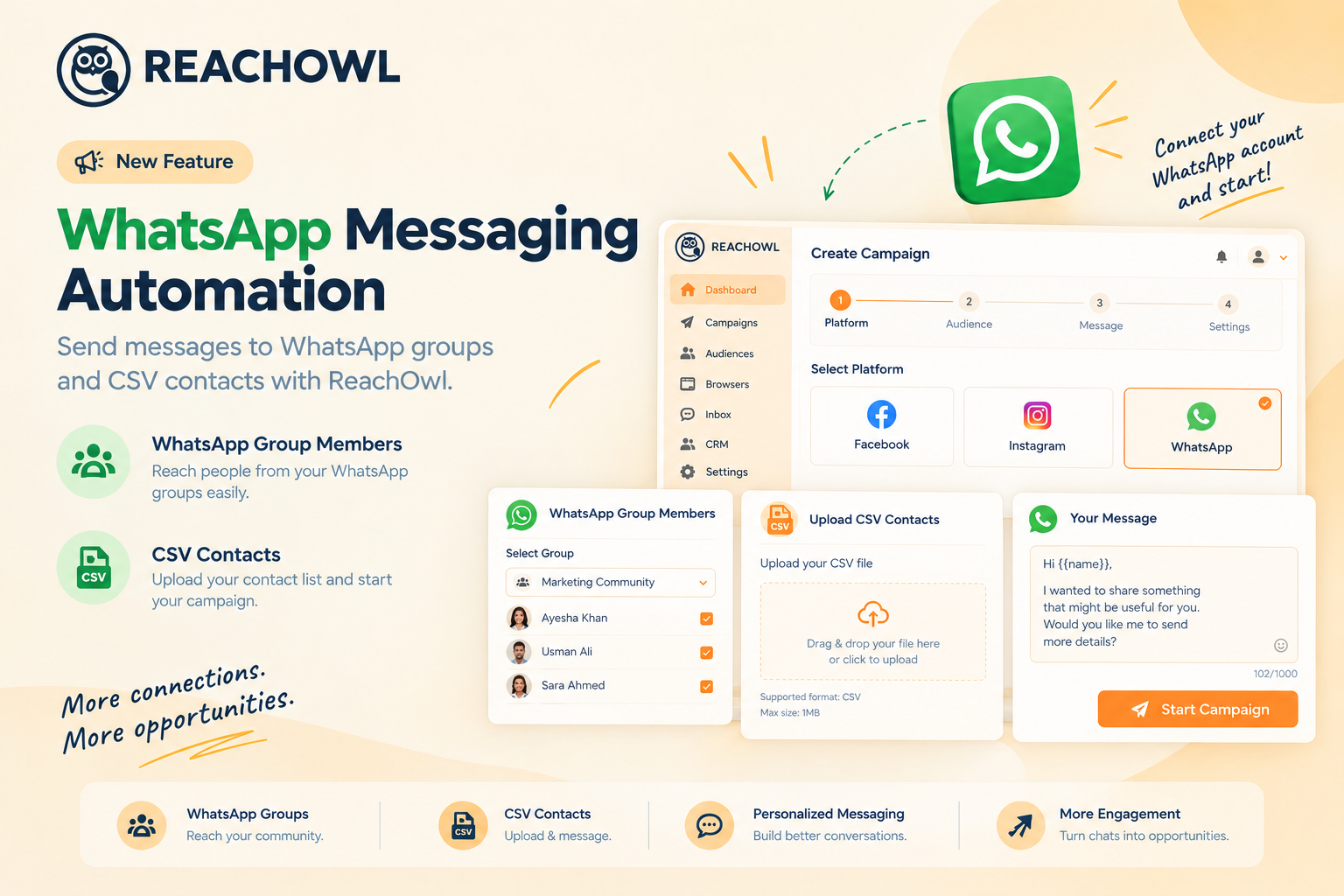
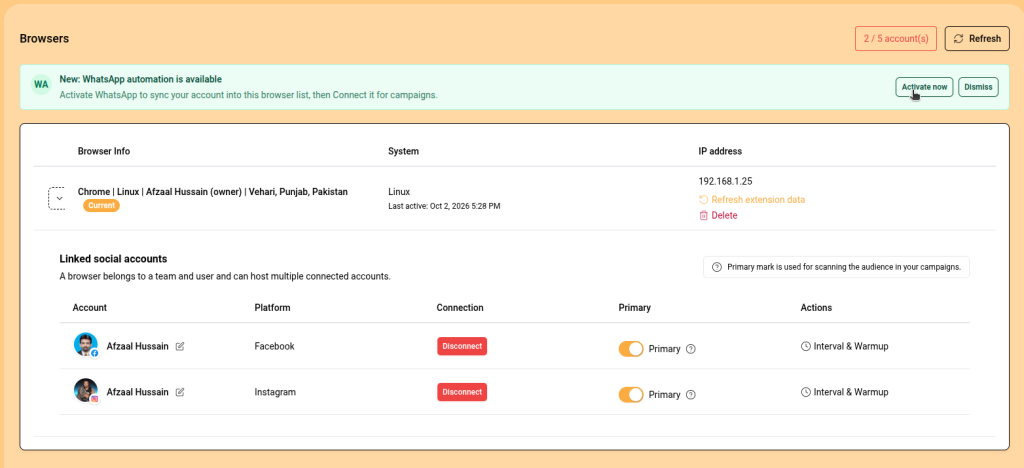
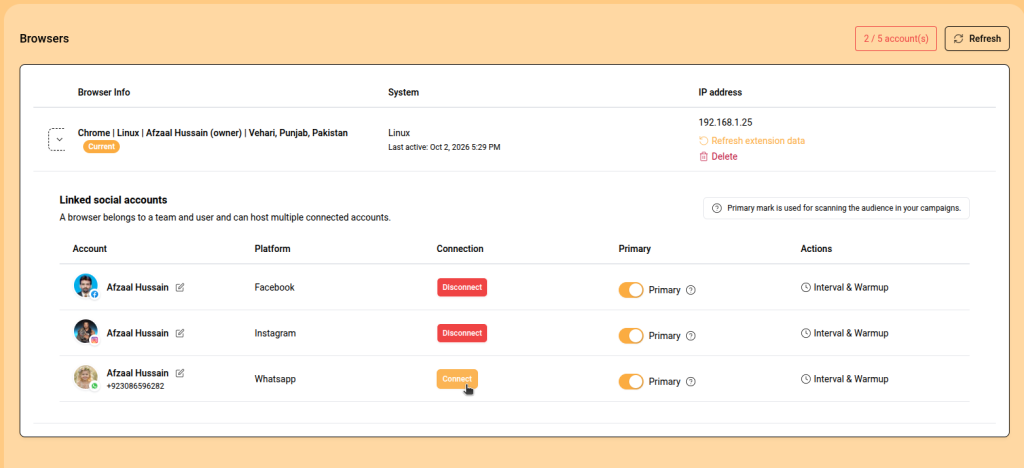
With ReachOwl, you can connect your WhatsApp account through the Browsers page and create campaigns to send messages to WhatsApp group members or contacts uploaded through a CSV file.
Whether you have an existing WhatsApp community or a list of potential customers, ReachOwl helps you organize your contacts and turn them into a structured WhatsApp messaging campaign.
What Is WhatsApp Messaging Automation?
WhatsApp messaging automation allows you to organize and automate repetitive WhatsApp outreach from your ReachOwl dashboard.
Instead of manually opening conversations and sending messages one by one, you can create a campaign, select your audience, write your message, and let ReachOwl handle the repetitive messaging workflow through your connected WhatsApp account.
With the new WhatsApp feature, you can create campaigns for:
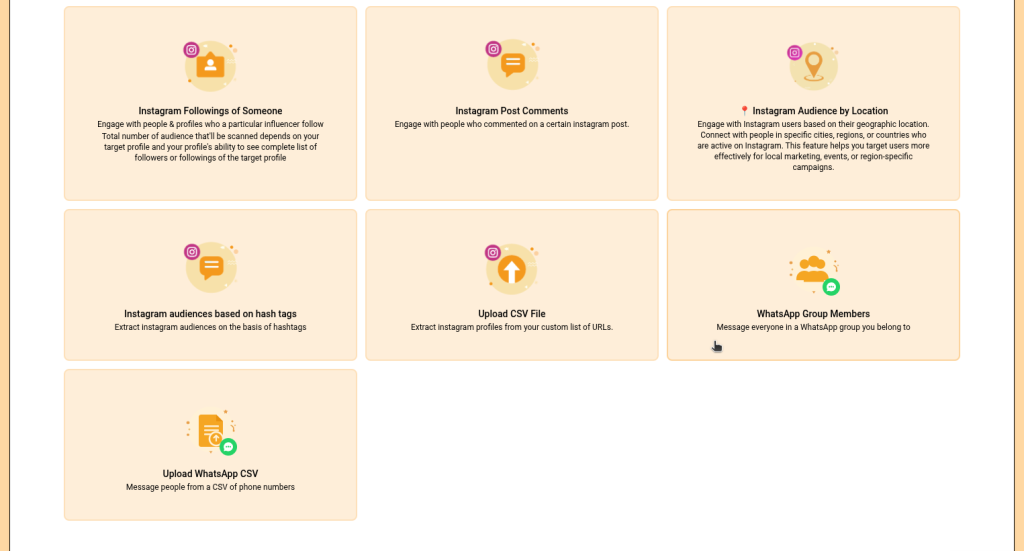
WhatsApp group members
Contacts uploaded through CSV
Targeted prospects and leads
Existing customer or contact lists
This gives you a simple way to manage WhatsApp messaging alongside your Facebook and Instagram campaigns.
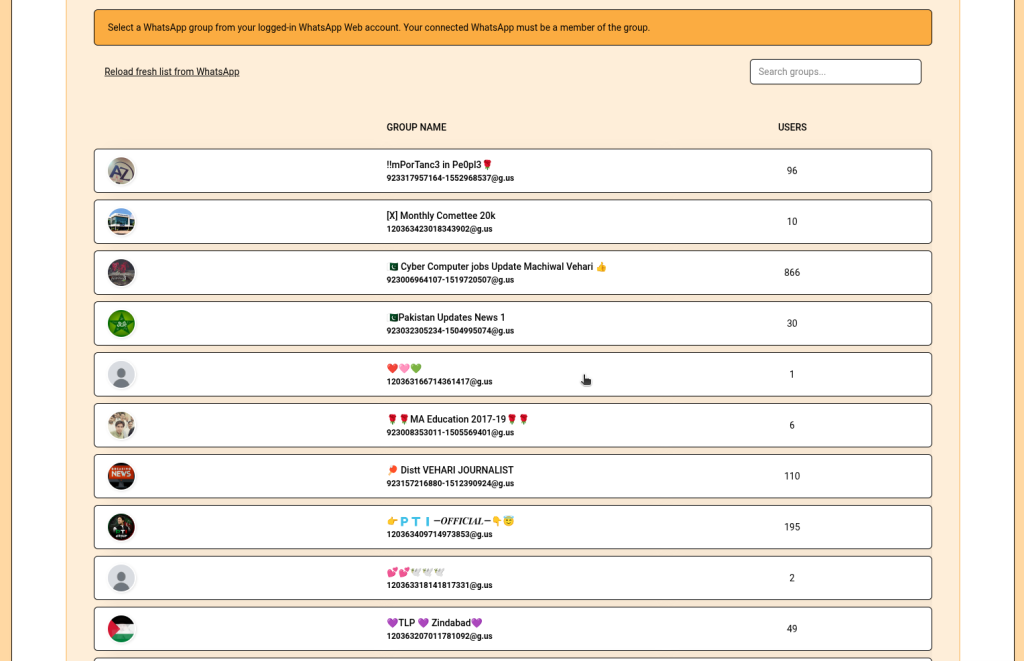
If you already participate in relevant WhatsApp groups, you can use group members as your campaign audience.
This can be useful for:
Business communities
Networking groups
Niche communities
Customer groups
Industry-specific groups
Interest-based audiences
Select the WhatsApp group you want to use and continue setting up your campaign.
Option 2: Upload Contacts Using CSV
You can also upload your own contacts through a CSV file.
This is especially useful when you already have a list of prospects, customers, leads, or other contacts.
Instead of manually adding contacts one by one, upload your CSV file and use those contacts for your WhatsApp messaging campaign.
This makes it easy to turn an existing contact database into an organized WhatsApp outreach campaign.
Step 4: Select Your WhatsApp Account
After selecting your audience, choose the connected WhatsApp account that should run the campaign.
If you manage multiple browser profiles or WhatsApp accounts, you can select the appropriate connected account for your campaign.
This helps you keep different WhatsApp messaging campaigns organized.
Step 5: Write Your WhatsApp Message
Now write the message you want to send to your selected audience.
Keep your message clear, relevant, and conversational.
For example:
Hi {{name}}, I wanted to share something that might be useful for you. Would you like me to send you more details?
A relevant and personalized message can make your WhatsApp messaging feel more natural and useful to your audience.
Once your message is ready, configure the available campaign settings.
Step 6: Review and Start Your Campaign
Before launching your campaign, review all your settings:
WhatsApp account
Campaign audience
Selected WhatsApp group or CSV contacts
Message
Campaign settings
Once everything is ready, save and start your campaign.
ReachOwl will process the campaign and send your messages through the connected WhatsApp account.
Why Use WhatsApp Messaging Automation With ReachOwl?
Reach Your Existing WhatsApp Audience
If your prospects, customers, or community members already use WhatsApp, you can reach them directly through a familiar communication channel.
Turn CSV Lists Into WhatsApp Campaigns
Already have a list of contacts?
Upload your CSV file and turn those contacts into a WhatsApp messaging campaign instead of manually messaging each contact.
Reach WhatsApp Group Members
WhatsApp groups can contain highly relevant audiences around specific interests, industries, communities, or topics.
ReachOwl helps you turn these audiences into an organized campaign workflow.
Manage WhatsApp Messaging From One Dashboard
Instead of manually tracking your outreach, you can manage your WhatsApp campaigns from the same ReachOwl dashboard you already use for Facebook and Instagram.
Reduce Repetitive Messaging
Sending similar messages to many contacts manually can take a significant amount of time.
WhatsApp messaging automation helps reduce repetitive work so you can spend more time focusing on conversations and qualified prospects.
WhatsApp Messaging Use Cases
The new WhatsApp campaign feature can be useful for different types of outreach.
Lead Generation
Upload a list of prospects and create a WhatsApp messaging campaign to introduce your product or service.
Community Outreach
Reach relevant WhatsApp group members with information, offers, events, or announcements.
Sales Outreach
Use your existing contact lists to start conversations with potential customers through WhatsApp.
Agency Campaigns
Agencies can organize WhatsApp messaging campaigns for different clients and audiences from their ReachOwl workspace.
Customer Communication
Businesses can use their existing contact lists to communicate with customers and contacts through WhatsApp.
Event Promotion
Have a list of attendees or potential attendees? Upload your contacts and create a WhatsApp messaging campaign to share event information.
ReachOwl started with Facebook and Instagram outreach automation, helping businesses discover audiences, create campaigns, send messages, and automate repetitive social outreach.
Now, WhatsApp messaging adds another powerful channel to the ReachOwl workflow.
You can use ReachOwl to manage outreach across:
Facebook
Instagram
WhatsApp
This gives businesses and agencies more flexibility when deciding where and how to reach their audiences.
The goal is simple: give you more outreach channels while keeping campaign management organized in one place.
Get Started With WhatsApp Messaging Automation
If you already use WhatsApp for sales, marketing, networking, or community outreach, you can now bring your WhatsApp messaging workflow into ReachOwl.
Connect your WhatsApp account, select your audience, create your campaign, and automate your repetitive messaging workflow.
Ready to try WhatsApp messaging automation?
Log in to ReachOwl and create your first WhatsApp campaign.
Frequently Asked Questions
What is WhatsApp messaging automation?
WhatsApp messaging automation allows you to create organized campaigns for sending messages to selected WhatsApp audiences instead of manually handling every message.
Can I send WhatsApp messages to group members with ReachOwl?
Yes. ReachOwl allows you to create WhatsApp campaigns targeting members of WhatsApp groups.
Can I upload WhatsApp contacts using CSV?
Yes. You can upload contacts through a CSV file and use them as the audience for your WhatsApp messaging campaign.
Do I need to connect my WhatsApp account first?
Yes. Your WhatsApp account needs to be connected through the Browsers page before you can use it for a WhatsApp campaign.
Can I create multiple WhatsApp messaging campaigns?
Yes. You can create and manage multiple WhatsApp campaigns from the ReachOwl Campaigns page.
Can I use WhatsApp with Facebook and Instagram campaigns?
Yes. WhatsApp messaging is now available as an additional outreach channel alongside Facebook and Instagram automation.
Final Thoughts
WhatsApp is already an important communication channel for businesses, communities, and customers.
With ReachOwl’s new WhatsApp messaging automation, you can turn your WhatsApp groups and existing contact lists into organized campaigns without handling every message manually.
Connect your WhatsApp account. Select a group or upload your contacts. Create your campaign. Start your WhatsApp messaging campaign with ReachOwl.