
Managing multiple Facebook accounts just got a whole lot easier.
Until now, ReachOwl’s Post Scheduler allowed you to schedule posts only from your primary connected Facebook account. While this worked well for individual users, it created unnecessary friction for agencies, marketers, and businesses managing multiple Facebook profiles.
That’s changing today.
With our latest update, you can now create and schedule posts using any connected Facebook account in your ReachOwl workspace. Simply choose the account you want to publish from, select its groups, create your content, and schedule your campaign—all in one seamless workflow.
What’s New?
When creating a new Post Scheduler campaign, ReachOwl now displays all connected Facebook accounts instead of automatically using only your primary account.
This means you can:
- ✅ Select any connected Facebook account
- ✅ Publish to that account’s Facebook groups
- ✅ Manage multiple brands or clients from one dashboard
- ✅ Switch between accounts without reconnecting them
Whether you’re an agency managing client profiles or a business running multiple brands, scheduling content is now much more flexible.
How It Works
Creating a multi-account Post Scheduler takes just a few simple steps.
Step 1: Open the Post Scheduler
From your ReachOwl dashboard, navigate to Post Schedulers and click Post Scheduler to create a new campaign.
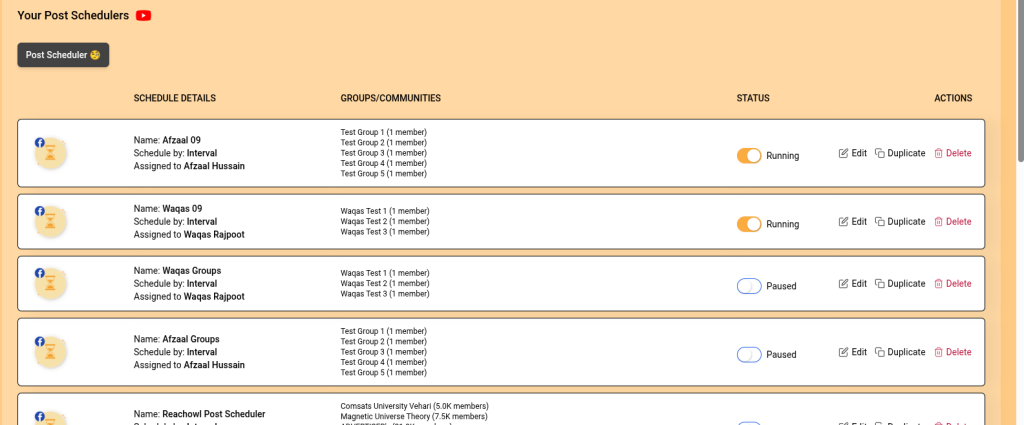
You’ll also see all your existing schedulers, their status, assigned Facebook accounts, selected groups, and quick actions for editing, duplicating, or deleting campaigns.
Step 2: Select the Facebook Account
The first step is choosing which Facebook account you want to publish from.
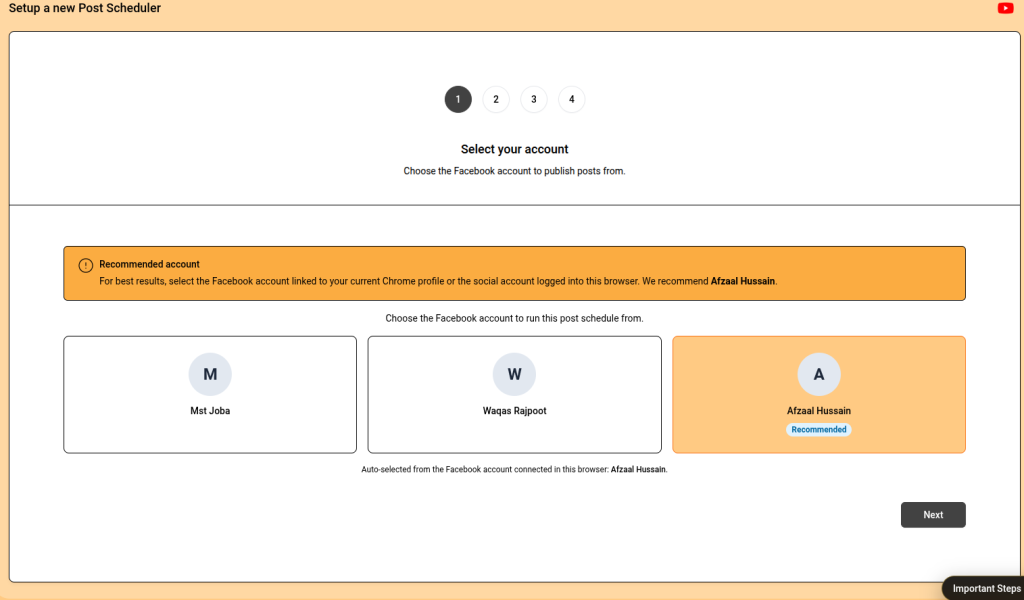
Instead of automatically using your primary account, ReachOwl now displays every connected Facebook account in your workspace.
Simply click the account you want to use and continue.
Smart Account Recommendation
To make setup even easier, ReachOwl automatically recommends the best account based on:
- The Facebook account currently logged into your Chrome browser
- The account connected through your ReachOwl Chrome Extension
- Your active Chrome profile
This helps prevent connection issues and increases publishing reliability.
Tip: For the best experience, use the recommended account that matches your active Chrome profile.
Step 3: Choose Your Facebook Groups
Once you’ve selected your account, ReachOwl automatically displays only the Facebook groups that account has access to.
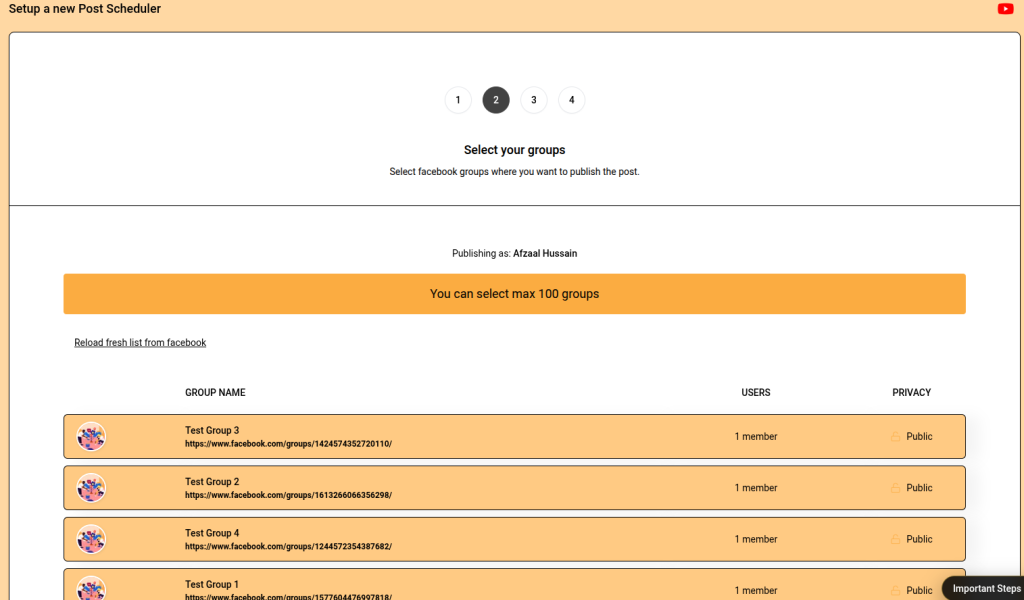
Simply select the groups where you’d like your content to be published.
You can easily refresh the group list from Facebook whenever needed.
Step 4: Create Your Post
Now it’s time to build your content.
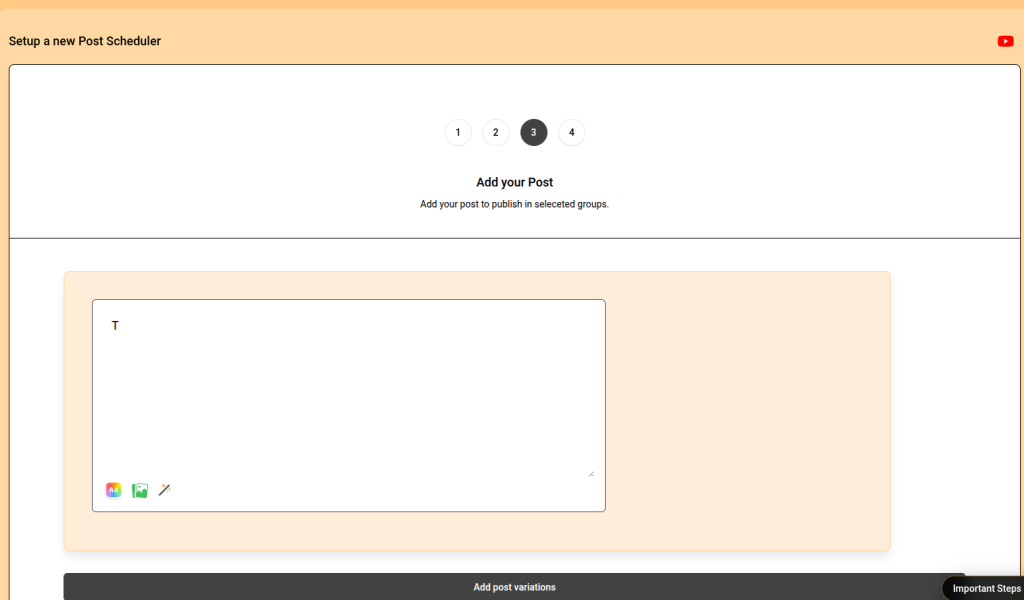
You can:
- Write your post
- Upload images
- Add videos
- Include links
- Create multiple post variations
Everything works exactly as before, only now it’s tied to the Facebook account you selected.
Step 5: Configure Your Schedule
Next, choose how and when your posts should be published.
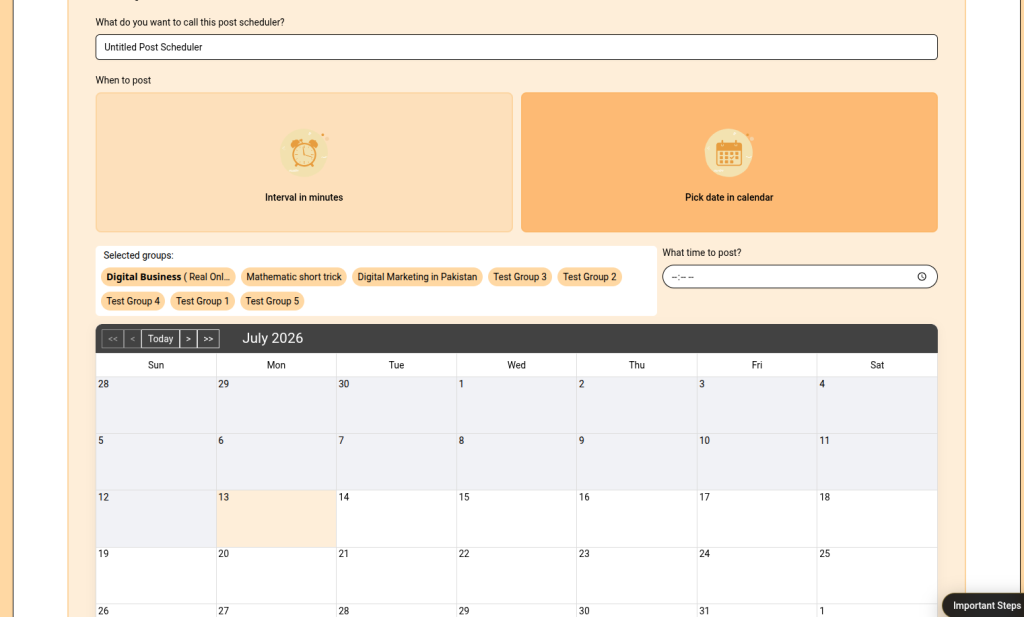
ReachOwl supports two scheduling methods:
Interval Scheduling
Publish posts automatically after a specified number of minutes between each post.
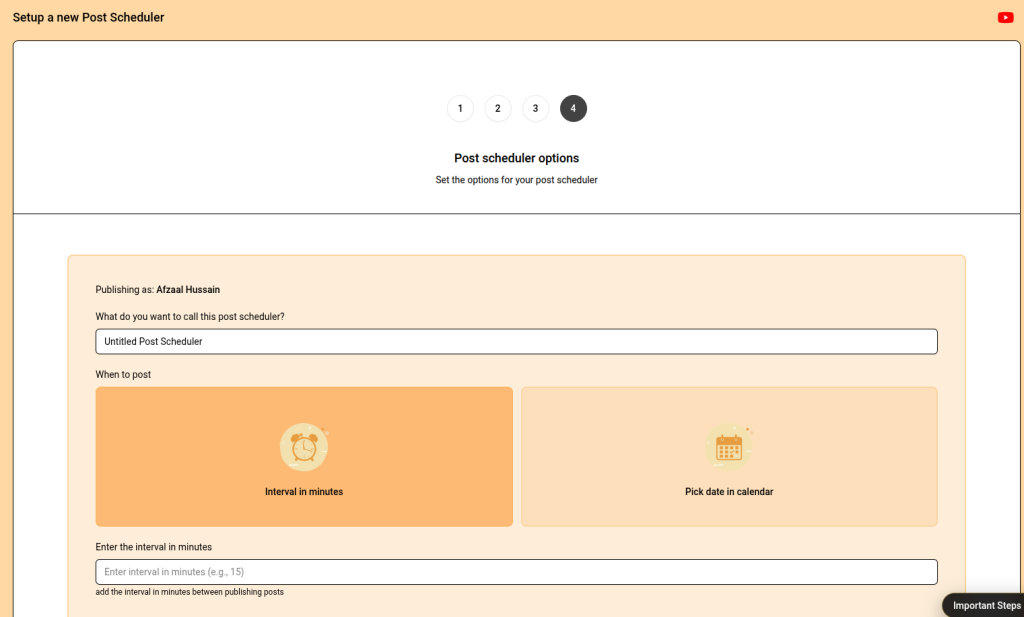
Perfect for continuously posting across multiple groups without triggering spam-like behavior.
Calendar Scheduling
Want complete control?
Switch to calendar mode and choose:
- Posting date
- Posting time
- Exact schedule for your campaign
Step 6: Review and Launch
Before saving, review your settings one final time.
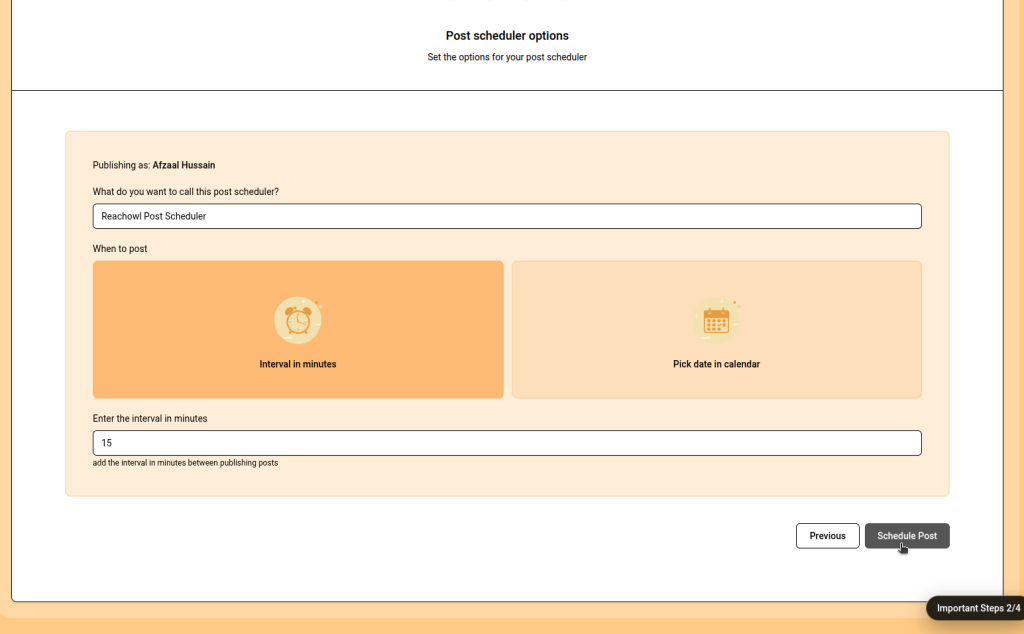
Confirm:
- Selected Facebook account
- Selected groups
- Post content
- Posting schedule
- Date and time
Then simply click Create Scheduler.
ReachOwl will automatically publish every post using the Facebook account you selected.
Why This Update Matters
This feature was built specifically for users managing more than one Facebook account.
It’s especially useful if you:
- Run a marketing agency
- Manage multiple brands
- Handle client Facebook accounts
- Separate personal and business profiles
- Work with a team using different Facebook accounts
Instead of constantly switching accounts or creating separate workflows, everything can now be managed from one place.
Key Benefits
- ✅ Schedule posts from any connected Facebook account
- ✅ No longer limited to your primary account
- ✅ Smart account recommendation for better reliability
- ✅ Faster setup with a streamlined workflow
- ✅ Supports agencies managing multiple clients
- ✅ Publish to the correct Facebook groups for each account
- ✅ Simple, intuitive multi-account experience
A Better Workflow for Agencies & Power Users
Whether you’re managing five Facebook accounts or fifty, ReachOwl now gives you complete control over where your content is published.
Choose the right account, select its groups, create your content, set your schedule, and let ReachOwl handle the rest automatically.
No reconnecting accounts.
No switching browsers.
No unnecessary complexity.
Just a faster, smarter scheduling experience.
Start Using It Today
The new Multi-Account Post Scheduler is now available for all ReachOwl users.
If you haven’t already:
- Update your ReachOwl Chrome Extension
- Open the Post Scheduler
- Select your preferred Facebook account
- Choose your groups
- Schedule your content
Managing multiple Facebook accounts has never been this simple. 🚀
Stay Connected with ReachOwl
We’re constantly adding new features, improvements, and automation tools to help you grow your business more efficiently.
To stay updated with the latest product releases, tutorials, feature announcements, and best practices, follow ReachOwl on our official channels:
- Facebook – Get the latest product updates, feature announcements, and community discussions.
- Instagram – Discover quick tips, product highlights, and behind-the-scenes updates.
- YouTube – Watch detailed tutorials, feature walkthroughs, and step-by-step guides to get the most out of ReachOwl.
- ReachOwl Website – Explore our latest blogs, documentation, and feature releases.
Thank you for being part of the ReachOwl community. We’re excited to continue building features that make social media automation easier, smarter, and more effective. Stay tuned for more updates! 🚀