
Connecting with new people and expanding your network has never been easier. If you’re looking to grow your Facebook connections strategically, extracting members from a Facebook group and initiating automated friend request campaigns can be a game-changer.
Facebook groups are filled with highly targeted audiences who already share common interests, making them an excellent source for building meaningful connections and expanding your professional or business network.
In this tutorial, we’ll guide you through the step-by-step process of extracting Facebook group members and creating a successful friend request campaign using ReachOwl. This powerful tool simplifies the entire process, helping you automate outreach, save time, and maximize your networking efforts while reaching the right audience.
Facebook Group Auto-Friend Request Steps
Facebook groups are one of the best places to find highly targeted prospects who share similar interests, making them ideal for networking and lead generation. Instead of manually searching for members and sending friend requests one by one, ReachOwl allows you to automate the entire process.
With ReachOwl, you can extract Facebook group members, send automated friend requests, and scale your outreach efforts while saving valuable time. This helps you grow your network faster, build meaningful relationships, and create more opportunities for your business.
Follow the steps below to set up your Facebook Group Auto-Friend Request campaign with ReachOwl.
Step 1: Access Your Facebook Groups
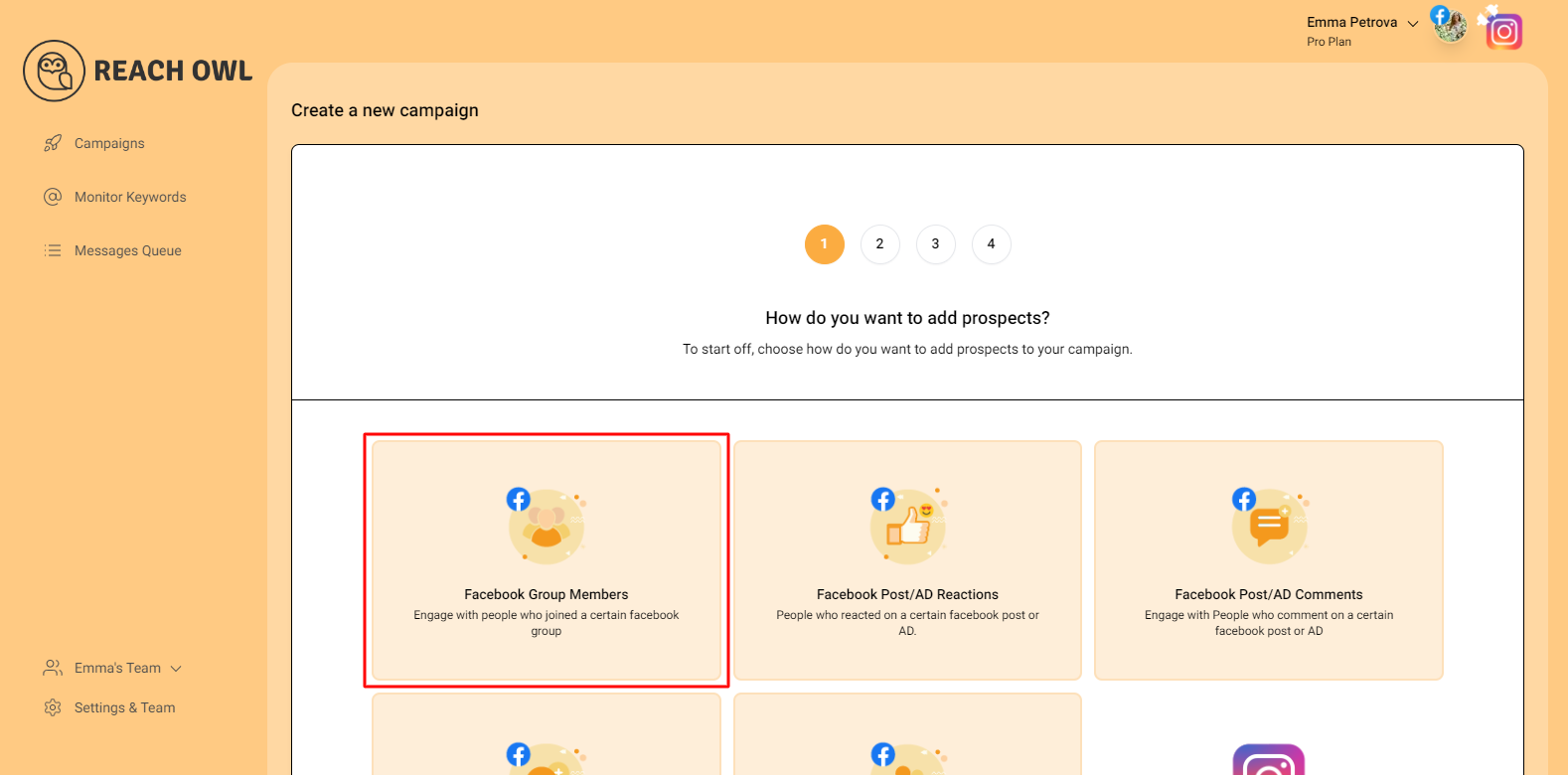
Click on “Facebook Group Members,” and you’ll see that ReachOwl already accesses all the Facebook groups linked to your account.
Step 2: Select the Target Facebook group
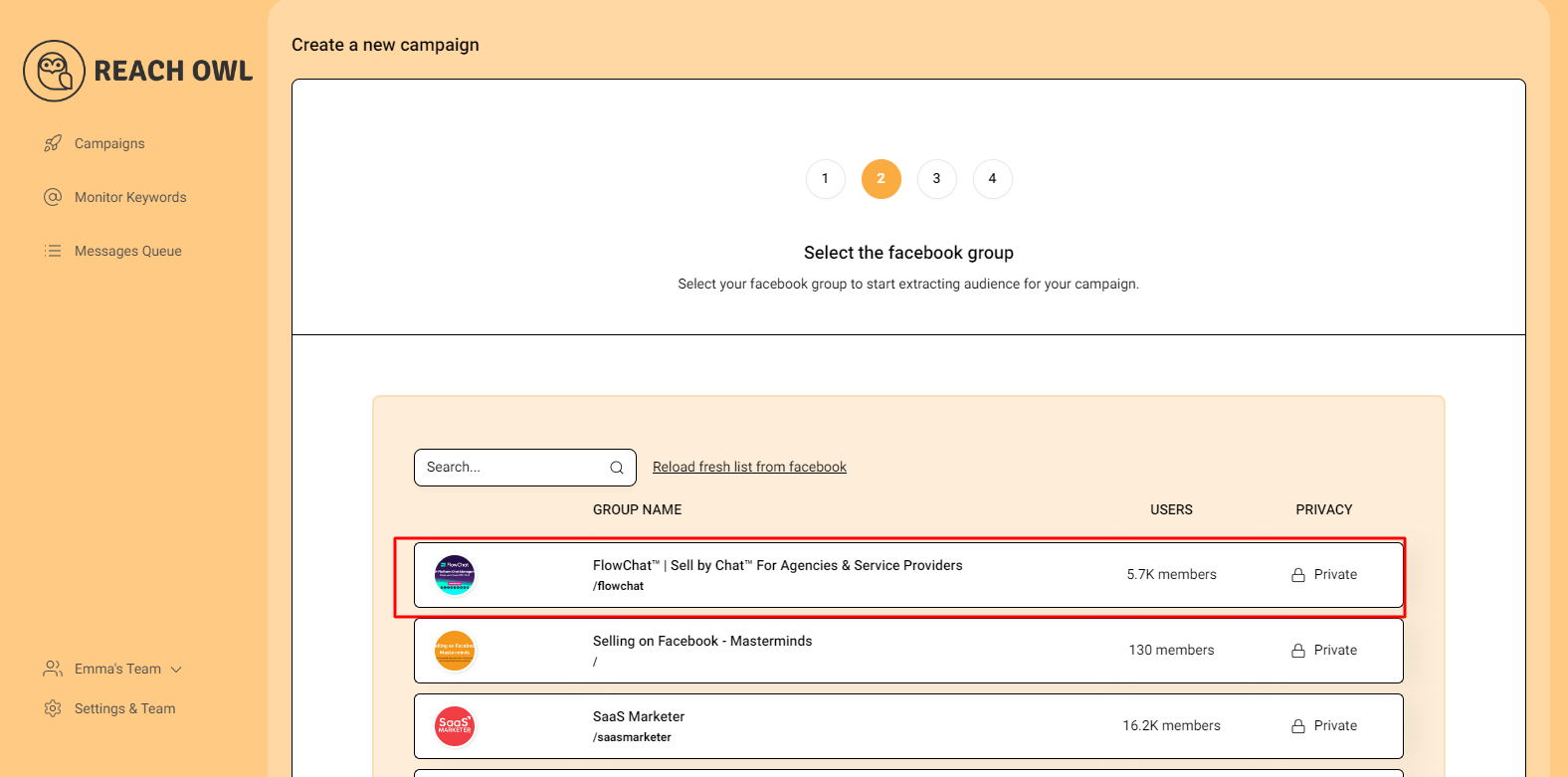
From the list of your Facebook groups, choose the one you want to target for your messaging campaign.
Step 3: Choose the Friend Request option
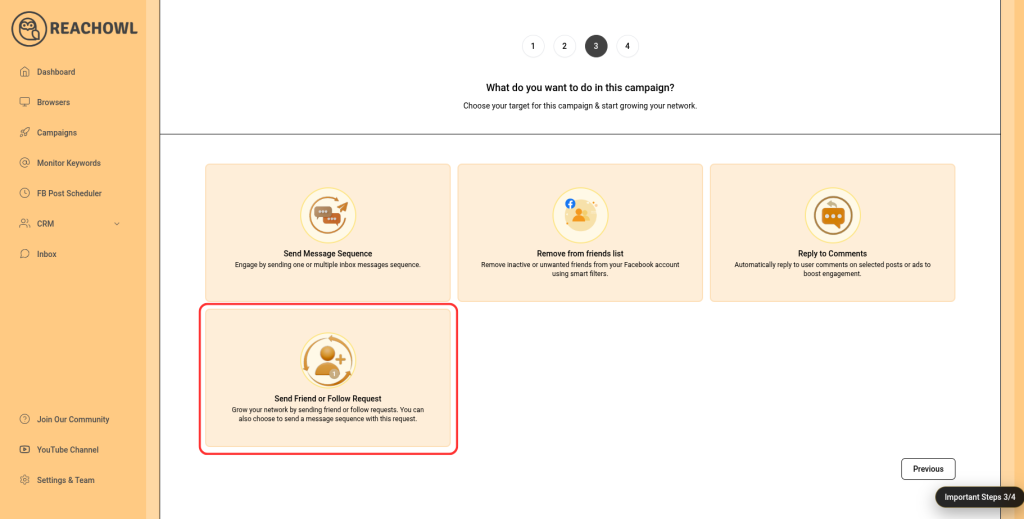
Now, select the “Friend Request” option from the available choices. This will allow you to send automated friend requests to the extracted friends.
Step 4: Name Your Campaign
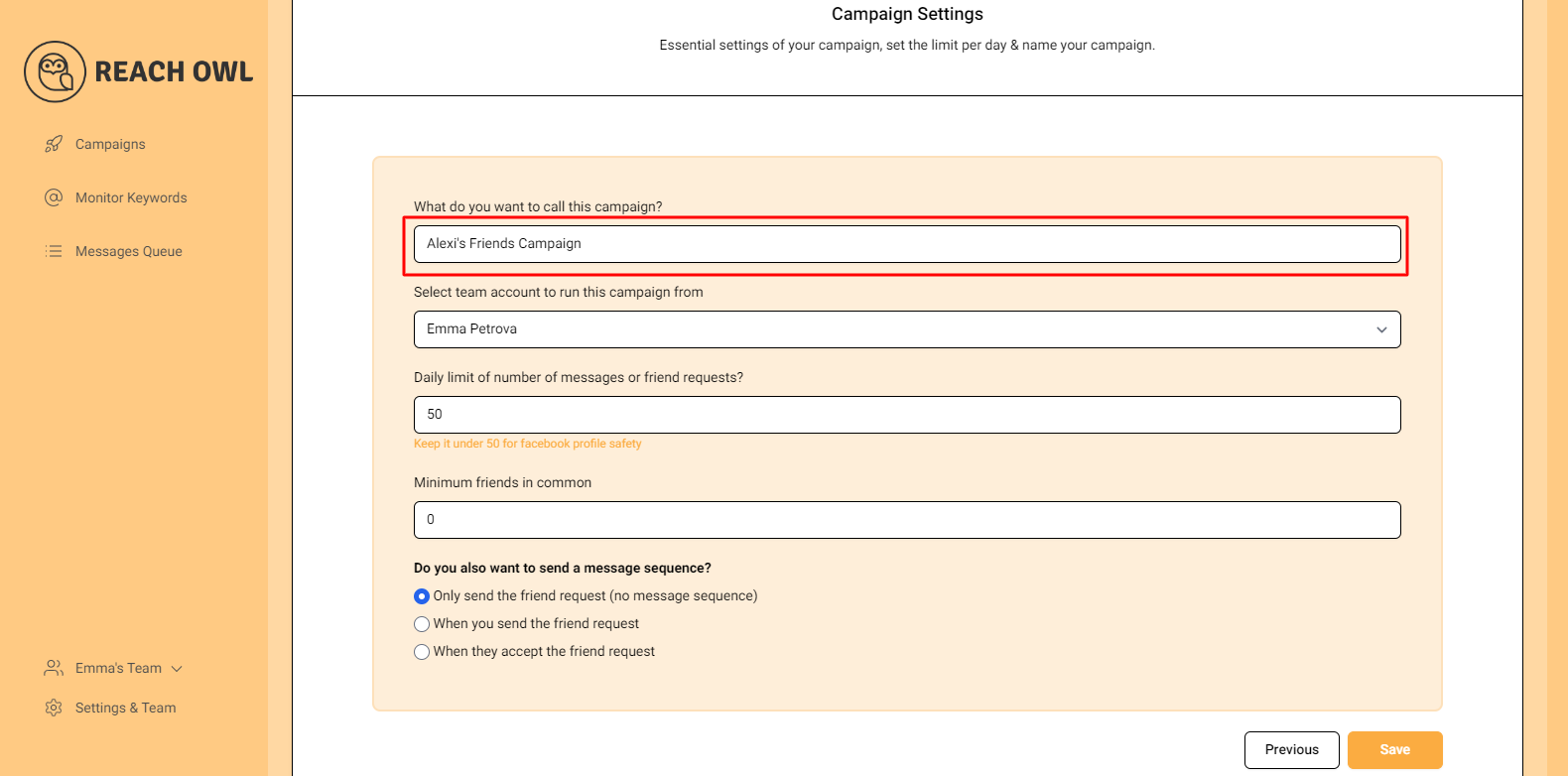
Enter a descriptive name for your campaign, such as “Alexi’s Friends,” to easily identify it within ReachOwl.
Step 5: Select team member account
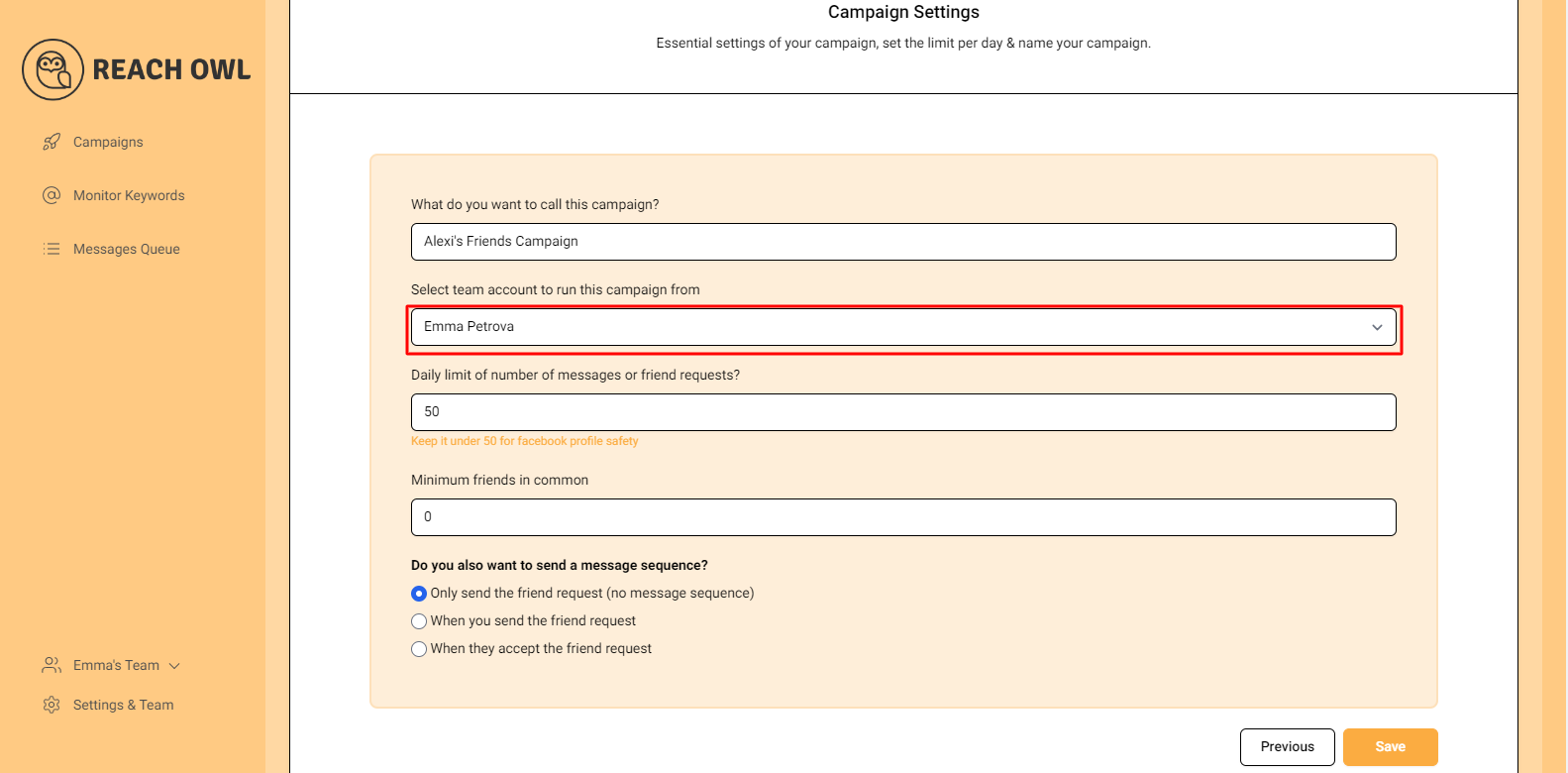
Choose the Team member account from which you want to run the campaign.
Step 6: Select Your Daily Limit
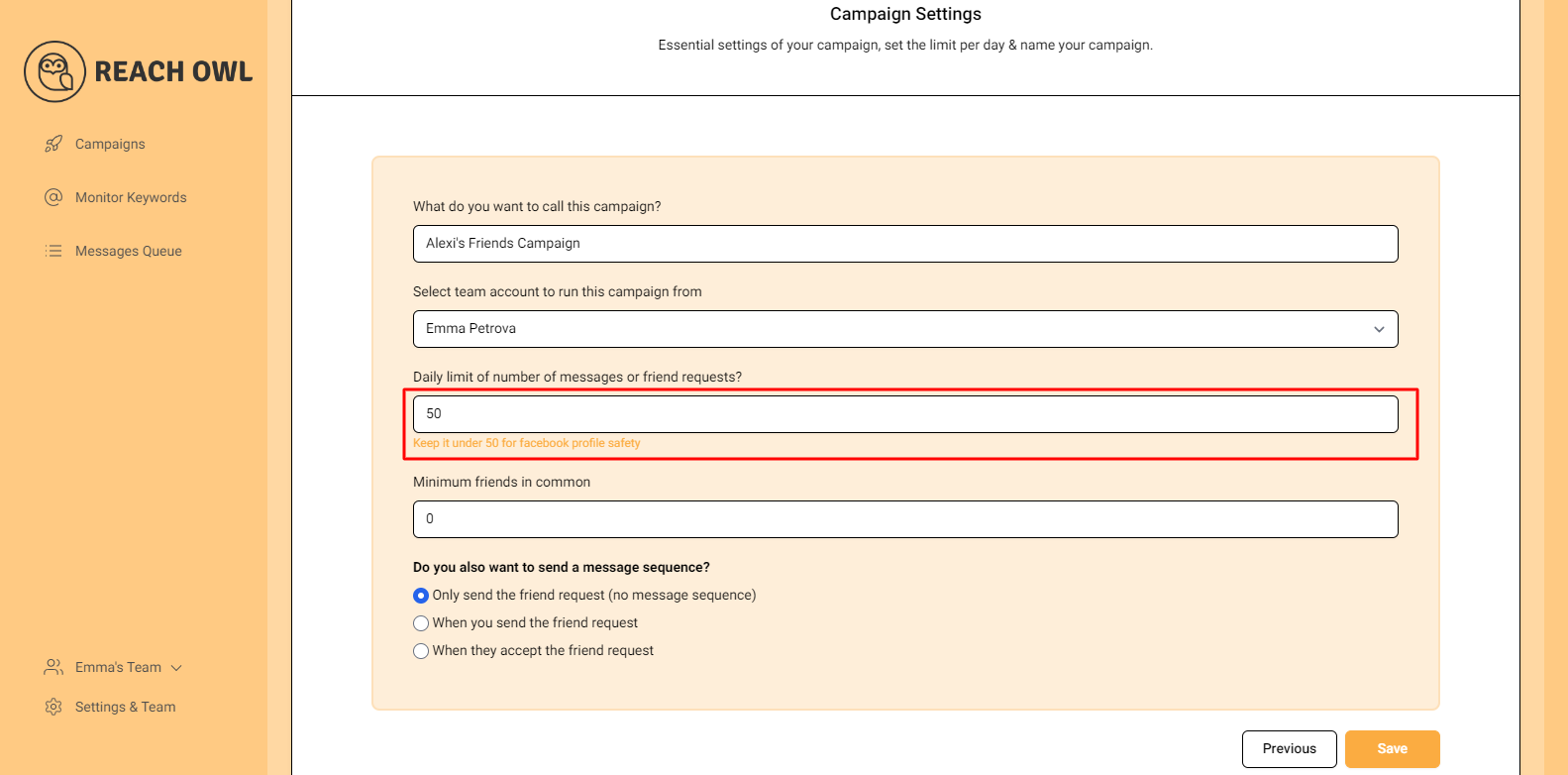
You can set a daily limit between 5-35 send friend requests sent per day depending on the profile value, and you can avoid sending the exact same number of friend requests with the same friend request every day.
Step 7: Opt for Friend Request Only
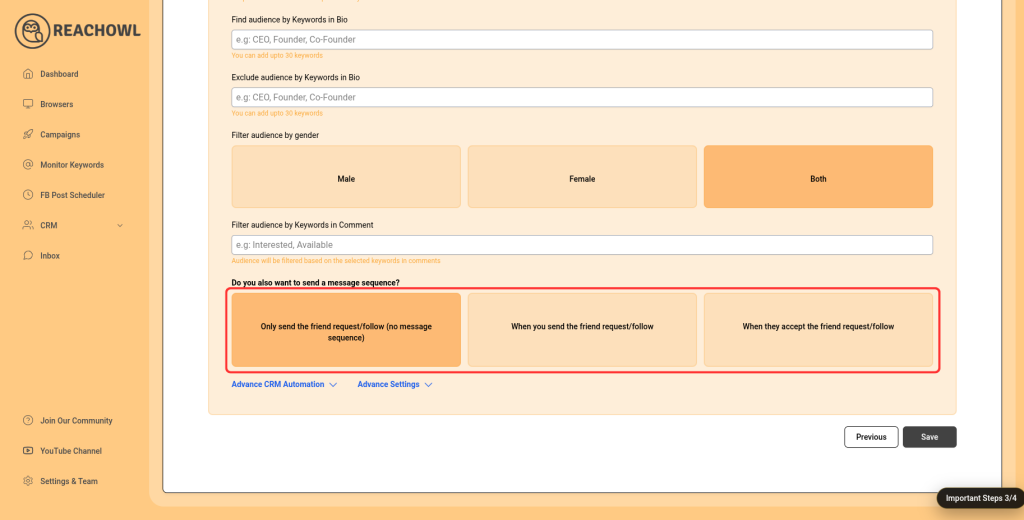
For this specific campaign, click on the option “Only Send the Friend Request (No Message Sequence).”
Step 8: Save Your Campaign
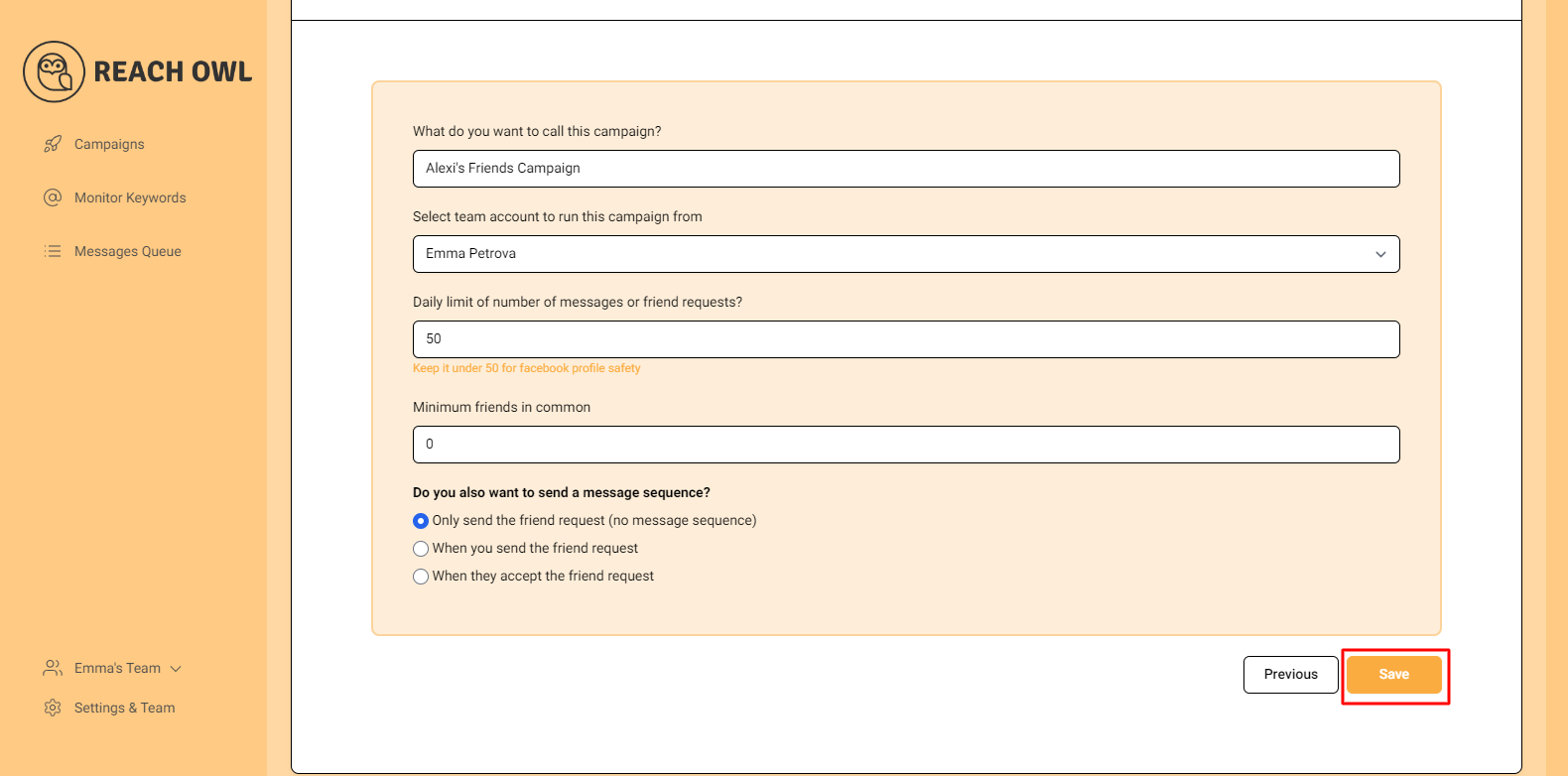
Once you’ve configured all the options, click on the “Save” button
Step 9: Start Your Campaign
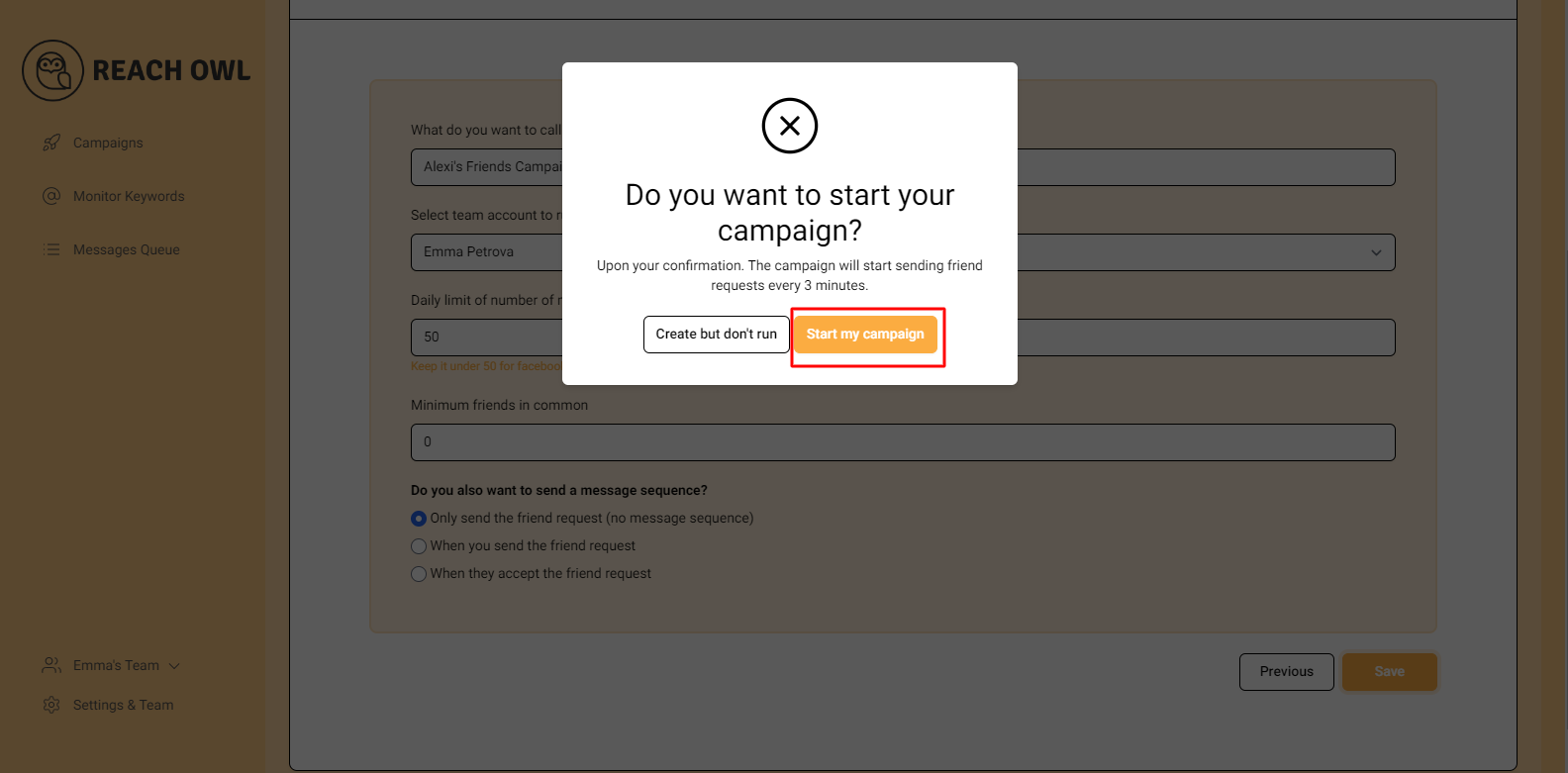
Click on “Start My Campaign” to initiate the outreach process.
Your campaign is now ready to be launched!
Step 10: Monitor the Progress
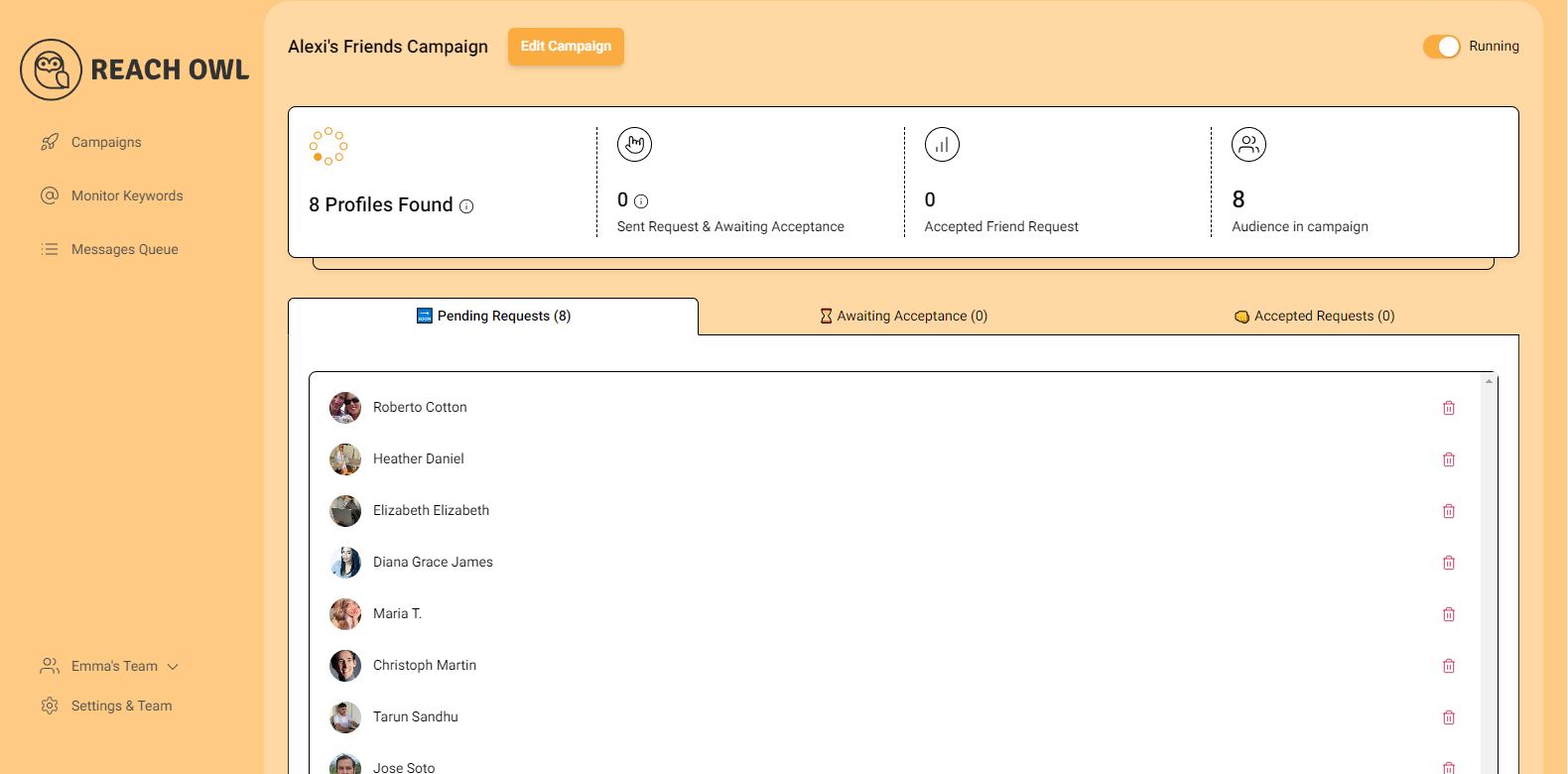
After starting the campaign, ReachOwl will begin extracting friends from the specified profile and automatically sending out friend requests. You can monitor the progress within the ReachOwl interface.
Step 11: Review the Results
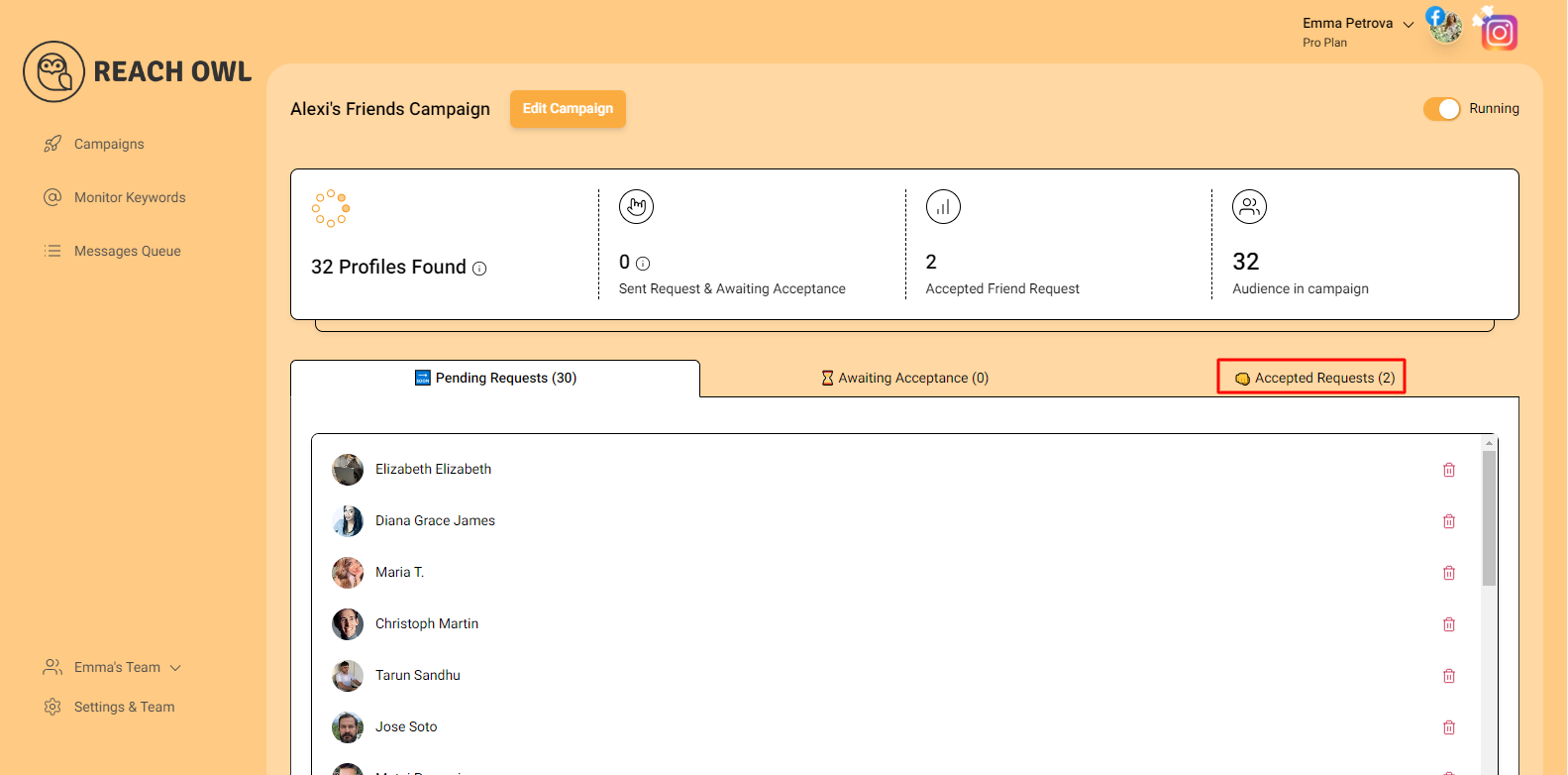
After a while, refresh the page, and you’ll notice that ReachOwl has already sent friend requests to some users. As users accept your friend requests, you’ll see the progress of your campaign.
Conclusion
With ReachOwl’s user-friendly interface and advanced automation capabilities, you can efficiently execute Facebook friend request campaigns and build a stronger, more engaged digital network. By automating outreach while maintaining a personalized approach, you can connect with potential customers, industry professionals, and like-minded individuals at scale.
This strategy not only opens doors to valuable collaborations, partnerships, and business opportunities but also helps expand your online presence and strengthen your personal or brand authority on Facebook.
To continue learning new outreach strategies and get support from experienced ReachOwl users, join our Facebook Community at https://www.facebook.com/groups/120359764256373. It’s a great place to share experiences, discover best practices, and stay informed about the latest automation techniques.
You can also follow our Facebook Page at https://www.facebook.com/reachowl for product updates, feature announcements, and social media marketing insights. For step-by-step tutorials and training videos, subscribe to our YouTube Channel at https://www.youtube.com/@ReachOwl and learn how to maximize the potential of your outreach campaigns.
Take advantage of ReachOwl’s powerful features today and harness the full potential of strategic networking on Facebook to grow your audience, build meaningful relationships, and achieve your marketing goals.