

If your agency finds promising prospects in Facebook groups but loses track of what happens next, the problem is usually not lead volume. It is the gap between a relevant signal and a consistent follow-up process.
A person may ask for a recommendation, comment on a problem your client solves, or join a group connected to the client’s market. That signal is useful, but it is not automatically a qualified opportunity. The agency still needs to decide whether the person is relevant, what to say, who owns the conversation, and when to follow up.
This guide gives you a practical Facebook group lead follow-up system for agencies. It covers qualification, message templates, CRM stages, ownership rules, human review, and measurement.
What counts as a Facebook group lead?
Not every group member belongs in a sales pipeline. Treating every member as a lead creates clutter and encourages irrelevant outreach.
There are four useful levels of signal:
| Signal level | Example | Recommended action |
|---|---|---|
| Relevant presence | The person belongs to a group where the client’s audience gathers | Record the source and observe the conversation |
| Problem signal | The person asks a question or describes a problem the client solves | Review the context and respond helpfully |
| Conversation signal | The person replies, asks for more information, or accepts a permitted next step | Start a tracked conversation |
| Opportunity signal | The person confirms fit, timing, need, or interest in a call | Assign an owner and move to the sales pipeline |
This distinction matters because a group member is not the same thing as a qualified lead. A useful workflow starts with relevance and earns the next conversation.
For a broader overview of audience selection, see this guide to selling in Facebook groups. The goal is not to message everyone. The goal is to identify conversations where a helpful response is appropriate.
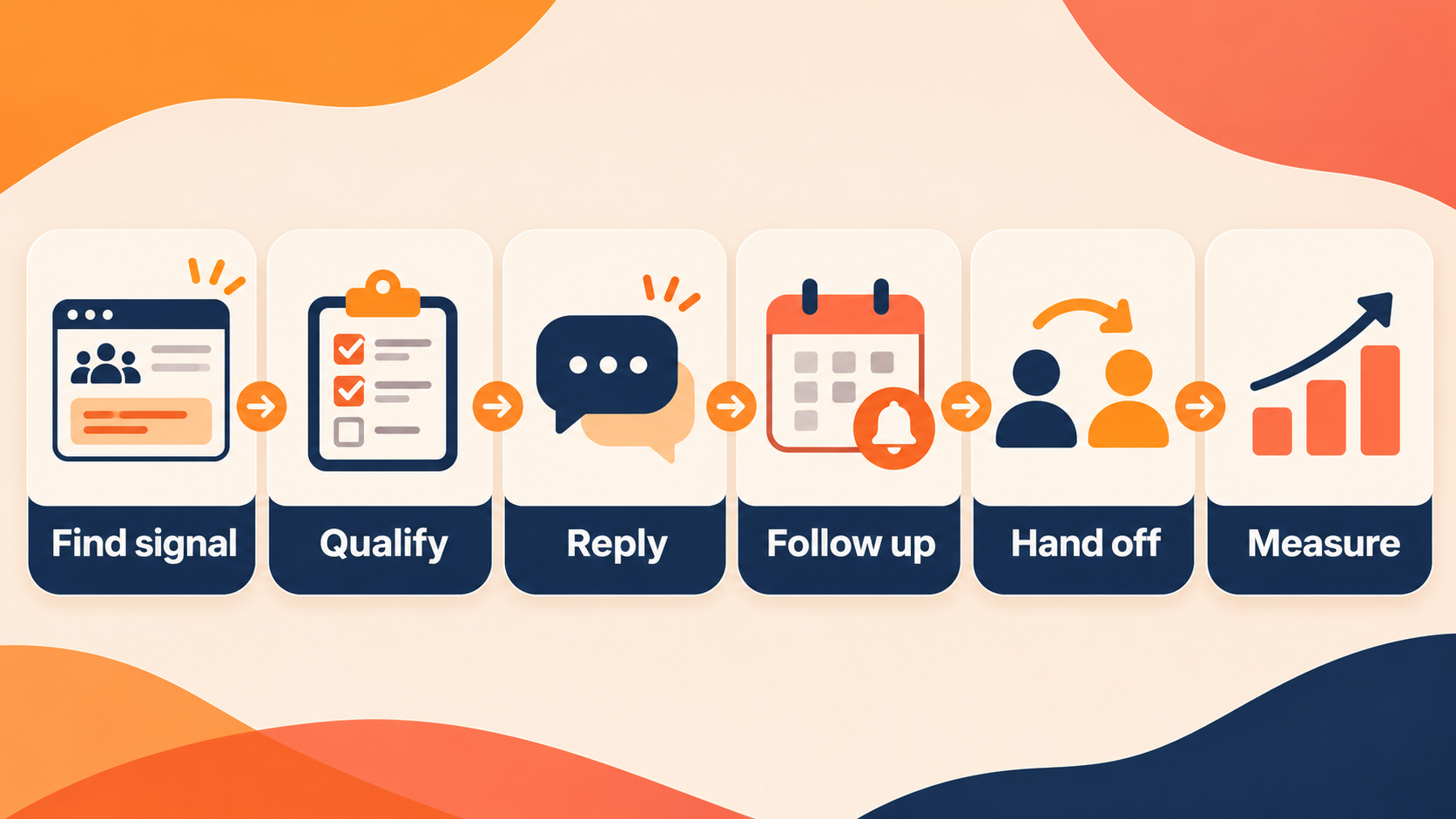
The seven-stage Facebook group lead follow-up system
1. Choose groups that contain the right problem
Start with the client’s offer and ideal customer, then find groups where people discuss the related problem in their own words.
Record:
- group name and URL;
- audience type;
- geography or service area;
- group rules about promotion and private messages;
- recurring problems and phrases;
- the client offer that may be relevant;
- the person responsible for monitoring the group.
Do not assume that the largest group is the best source. A smaller group with active, relevant conversations may be more useful than a large group with little discussion or strict no-promotion rules.
If you need to research groups without collecting unnecessary personal data, use this guide to research Facebook groups without email scraping.
2. Identify a visible problem or buying signal
Look for posts and comments that show a problem, a deadline, a comparison, or a request for a recommendation.
Useful signals include:
- “Can anyone recommend…”
- “How do I fix…”
- “We need help with…”
- “What tool do you use for…”
- “Has anyone worked with…”
- a follow-up question on a post about the client’s service;
- a request for examples, pricing ranges, or implementation advice.
A keyword match is only a starting point. Read the full conversation before assigning a lead. The same word can describe a complaint, a research project, a competitor, or a genuine buying need.
3. Record the source and reason for selection
Every prospect should have enough context for another team member to understand why the record exists.
Minimum fields:
- name and profile URL;
- group and original post URL;
- date discovered;
- exact problem signal;
- likely offer fit;
- public response status;
- private conversation status;
- owner;
- next action and due date;
- do-not-contact or opt-out status.
This source record prevents the most common agency failure: a client sees a message but cannot tell where the prospect came from or why the message was sent.
4. Reply helpfully in the group
The public reply should stand on its own. Do not hide the useful answer behind a forced private message.
A helpful response usually does three things:
1. acknowledges the specific problem; 2. gives one useful suggestion or clarifying question; 3. offers a permitted next step only when it makes sense.
Example:
The issue is often caused by following up with every enquiry the same way. I would separate people who asked for pricing from people who are still comparing options, then use a different next step for each group.
If the group rules allow a private conversation and the person shows interest, you can offer to share a checklist or continue the discussion. If the rules do not allow promotion or private outreach, respect that boundary.
5. Move to a permitted private conversation
The first private message should connect directly to the public context. Avoid pretending that the person requested a sales conversation when they did not.
A simple opening template:
Hi {{first_name}}, I saw your question in {{group_name}} about {{specific_problem}}. I mentioned the follow-up distinction because it comes up often for {{audience}}. Would it be useful if I shared the short checklist I use for that process?
This message asks permission for the next step and gives the recipient an easy way to decline.
If the person says yes, deliver the promised resource before introducing a sales invitation. If the person does not reply, do not treat silence as interest.
6. Qualify before pitching
Qualification should make the next step more relevant, not turn the conversation into an interrogation.
Use one question at a time. For example:
- What are you currently doing to handle this?
- Is the problem affecting new enquiries, existing customers, or both?
- Is this something you are trying to improve this month or later?
- Who normally owns follow-up on your team?
- Would a short walkthrough be useful, or are you still researching options?
Move a person to Qualified only when the conversation shows a relevant problem and a reasonable next step. Keep uncertain contacts in Nurture or Review instead of forcing them into a sales stage.
7. Assign the next action and follow up
Every active conversation needs an owner and a date. “Follow up later” is not a workflow.
Use a next-action format such as:
Owner: Maya. Action: send the qualification checklist. Due: Thursday. Exit condition: stop if the person declines or asks not to be contacted.
The exact timing depends on the conversation. A requested resource may deserve a same-day delivery. A person who says “check back next month” should receive a reminder for the agreed period, not a generic follow-up tomorrow.
Facebook group lead qualification checklist
Before adding a person to an active follow-up sequence, check:
- Is the person part of the client’s target audience?
- Did they show a problem or intent signal?
- Is the client’s offer relevant to that problem?
- Does the conversation permit a private next step?
- Has the person already received a message from the team?
- Is there an opt-out or do-not-contact note?
- Is the timing appropriate?
- Is the next message useful without making an unsupported promise?
You can score the record with three simple labels:
| Label | Meaning | Next step |
|---|---|---|
| Review | Relevant source, but not enough context | Read the thread and decide manually |
| Nurture | Relevant, but not ready for a sales conversation | Record timing and send useful follow-up only when appropriate |
| Qualified | Clear problem, fit, and next step | Assign an owner and invite the appropriate conversation |
This keeps the pipeline focused on conversations that deserve attention.
Facebook group follow-up message templates
Use these as starting points. Adapt them to the real conversation and client voice.
Bring Facebook, Instagram, and WhatsApp Outreach Into One Workflow
Bring discovery, follow-up, and lead management into one browser-based workflow for agencies.
Resource delivery
Here is the checklist I mentioned. The section on {{specific_issue}} may be the most relevant to your situation. If you try it, let me know what you find.
Clarifying question
Before I point you toward a specific option, are you mainly trying to improve {{problem_a}} or {{problem_b}}?
Follow-up after a useful reply
Thanks, that context helps. Based on what you described, the next step would usually be {{useful_step}}. Would you like me to show you how our team approaches that?
Soft call invitation
It sounds like there may be a practical fit. Would a short call help you compare the options, or would you prefer to keep researching for now?
No-response follow-up
Just closing the loop on the checklist I sent. No pressure to respond. If this becomes a priority later, you can reply here and I will point you to the relevant part.
Opt-out response
Understood. I will not follow up again. Thanks for letting me know.
Do not send every template to every contact. The sequence should stop when the person replies, declines, becomes irrelevant, or asks not to be contacted.
How to organize Facebook group leads in a CRM
A useful pipeline makes the next decision visible.
Recommended stages:
1. New signal 2. Reviewed 3. Public reply sent 4. Private conversation 5. Qualified 6. Call invited 7. Booked 8. Nurture later 9. Do not contact
Each stage needs an entry rule. For example, Public reply sent means the agency has responded in the group. Private conversation means the person has accepted or initiated a permitted conversation. Qualified means the person has confirmed a relevant problem and an appropriate next step exists.
For an agency, the CRM should also show:
- client account;
- group source;
- campaign or offer;
- conversation owner;
- last contact date;
- next action date;
- current stage;
- outcome or lost reason.
ReachOwl’s guide to building CRM stages and automating campaign actions provides a useful starting point for structuring those stages.
What to automate and what to keep human
Automation is useful when the rule is clear and reversible.
Good candidates include:
- applying a source tag;
- creating a reminder for an agreed follow-up date;
- stopping a sequence when a reply is detected;
- routing a conversation to an owner;
- showing stale conversations for review;
- reusing an approved template after a person has requested the resource;
- recording campaign activity.
Keep people responsible for:
- deciding whether a prospect is relevant;
- reviewing the full group conversation;
- choosing the right opening message;
- interpreting a reply;
- deciding whether a call is appropriate;
- handling complaints and opt-outs;
- checking current platform and client rules.
ReachOwl can support browser-based audience discovery, campaign sequences, tags, reminders, assignments, and lead context. The browser must remain open while active campaigns run. Browser-based execution does not remove platform risk or guarantee policy compliance.
Review these DM automation best practices before enabling a campaign. Use controlled targeting, reasonable pacing, human review, and clear exit conditions.
How to measure Facebook group lead follow-up
Do not judge the system by messages sent. Measure the stages that matter to the client.
| Stage | Metric | What it shows |
|---|---|---|
| Discovery | Relevant signals found | Whether group selection and monitoring are useful |
| Review | Approved prospects | Whether targeting is specific enough |
| Conversation | Meaningful replies | Whether the public and private messages fit the context |
| Qualification | Qualified conversations | Whether the offer matches the problem |
| Handoff | Calls invited and booked | Whether the sales process handles interest well |
| Outcome | Opportunities and customers | Whether the workflow supports the client’s commercial goal |
| Operations | Time per qualified conversation | Whether the system reduces repetitive work |
Also track negative signals: irrelevant contacts, complaints, opt-outs, failed deliveries, and account warnings. More activity is not automatically better activity.
For a broader view of timing and appointment handoffs, see the power of follow-ups in B2B appointment setting.
A 30-day rollout plan for agencies
Week 1: Select one client workflow
Choose one client, one offer, one audience, and one group source. Document the group rules and approval criteria.
Week 2: Prepare messages and stages
Create the public reply, private opener, resource delivery message, qualification question, follow-up, opt-out response, and pipeline stages.
Week 3: Run a controlled test
Review every prospect and message manually. Watch for irrelevant targeting, confused replies, opt-outs, and unexpected account signals. Pause if the workflow behaves differently than expected.
Week 4: Review the funnel
Compare groups, signals, message versions, qualified conversations, and booked calls. Keep the workflow that produces relevant conversations, not simply the highest send count.
Then document the process as a client-facing SOP before adding another account or client.
FAQ
How soon should I follow up with a Facebook group lead?
Follow the timing the person agreed to whenever possible. For a requested resource, deliver it promptly. For an exploratory conversation, wait long enough to avoid turning a useful exchange into pressure.
Can I message every Facebook group member?
No. Membership alone does not establish relevance or permission for a sales message. Review the group rules, the person’s context, and whether a private conversation is appropriate.
How many follow-ups should I send?
Use the fewest follow-ups needed to complete the promised next step. Stop when the person replies, declines, becomes irrelevant, or asks not to be contacted.
Should Facebook group leads go into a CRM?
Qualified or actively managed conversations should have an owner, source, stage, and next action. Do not fill the CRM with every unreviewed group member.
What should I do when someone does not reply?
Send a brief, context-based closeout message if appropriate, then stop. Silence is not an invitation to continue indefinitely.
Conclusion
A Facebook group lead follow-up system works when it connects relevance, helpful participation, permission, qualification, ownership, and measurement. The group is only the starting point. The real value comes from knowing why a person was selected, what the next useful message is, and when a human should take over.
ReachOwl can help agencies organize group-based discovery, campaign sequences, lead context, reminders, tags, and follow-up workflows from the browser. Use it to reduce repetitive operations while keeping targeting, judgment, pacing, and recipient expectations under human control.
Bring Facebook, Instagram, and WhatsApp Outreach Into One Workflow
Bring discovery, follow-up, and lead management into one browser-based workflow for agencies.