
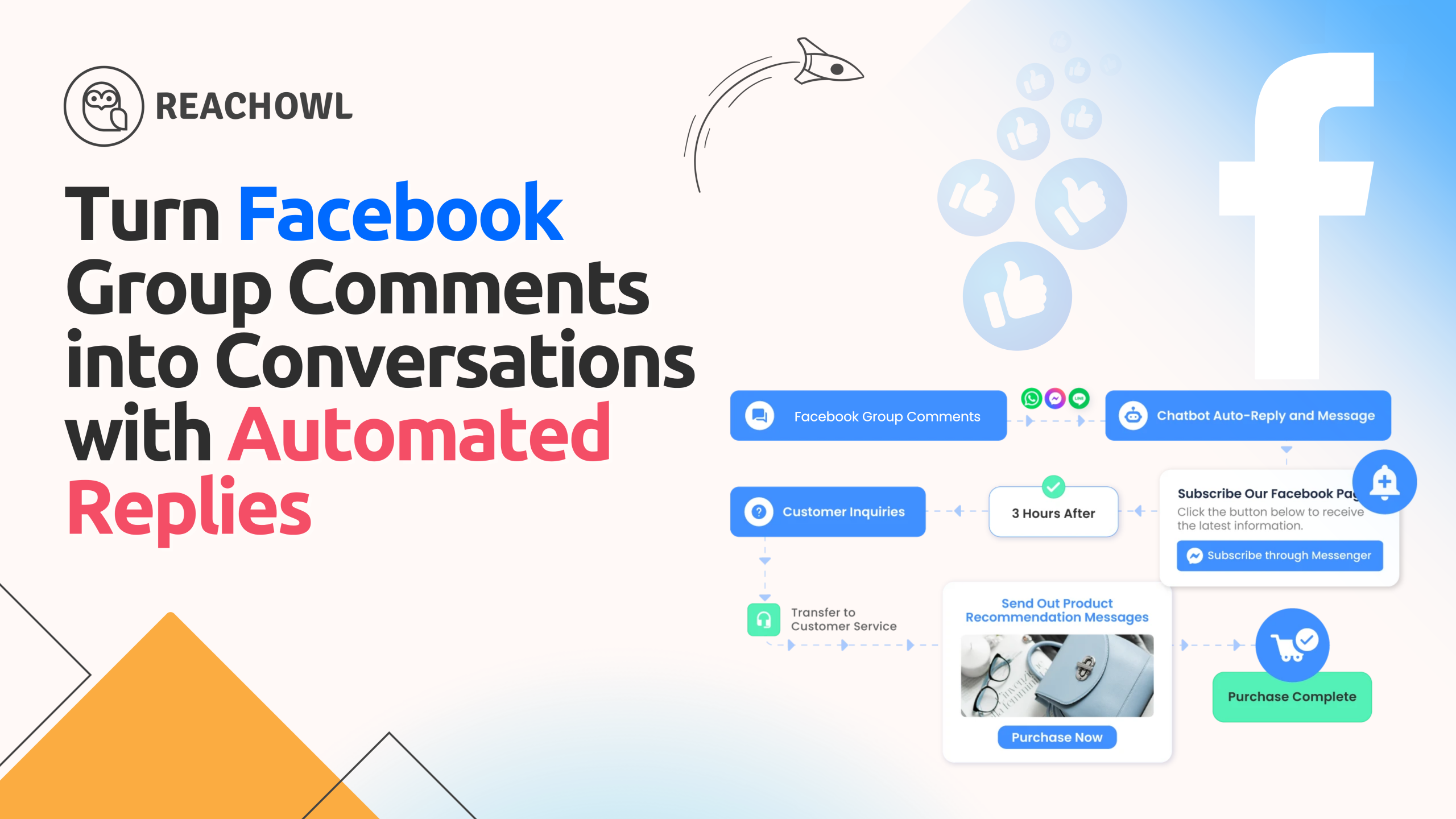
Facebook has become one of the most powerful platforms for marketing, community building, and lead generation. Businesses, marketers, and entrepreneurs use Facebook groups and advertisements every day to promote their services and connect with potential customers.
However, when a post starts receiving dozens or even hundreds of comments, replying manually to every comment becomes difficult and time-consuming.
This is where automation tools like ReachOwl become extremely valuable.
ReachOwl now offers a powerful feature that allows users to automatically reply to comments on Facebook group posts or advertisement posts using smart keyword filtering. This automation allows businesses to instantly engage with their audience, increase conversions, and generate more leads without manual work.
In this guide, you will learn how Facebook comment automation works, why it is important for marketing, and how to set up automatic replies using ReachOwl.
Why Facebook Comment Engagement Matters
When someone comments on your Facebook post, it usually means they are interested in what you are offering. These people are often called warm leads because they have already shown interest in your content.
Responding to comments quickly has several advantages.
Higher Engagement
When you reply to comments quickly, Facebook’s algorithm considers the post more active. This increases the chances that the post will be shown to more people.
Better Customer Experience
People appreciate quick responses. Instant replies build trust and improve your brand reputation.
More Lead Generation
Comments often contain potential buyers asking questions like:
- “How much does this cost?”
- “Can you send more information?”
- “I’m interested.”
Replying quickly helps convert these interested users into leads.
Saves Time
Manually replying to hundreds of comments can take hours. Automation allows you to respond instantly without manual work.
What Is Facebook Comment Reply Automation?
Facebook comment reply automation is a feature that automatically sends replies whenever someone comments on a specific post.
Instead of replying manually, the automation system monitors the post and triggers replies based on predefined conditions.
Automation can work on:
- Facebook Group Posts
- Facebook Page Posts
- Facebook Ad Posts
This type of automation is extremely useful for businesses running marketing campaigns that generate a large number of comments.
Introducing ReachOwl Smart Comment Reply Automation
ReachOwl recently introduced Smart Comment Reply with Keyword Filtering.
This feature allows users to automatically reply to Facebook comments while controlling who should receive a reply.
The system analyzes each comment and checks whether it contains specific keywords. This allows businesses to respond only to relevant users.
Smart Filtering Options
One of the biggest problems with comment automation is spam responses. If every comment receives a reply, the post can quickly become messy.
ReachOwl solves this problem using two smart filters.
Include Keywords
Include keywords tell the system when a reply should be triggered.
Example include keywords:
- interested
- details
- price
- info
Example comment:
“I’m interested. Can you send the details?”
The system detects the keyword interested and sends an automatic reply.
Exclude Keywords
Exclude keywords prevent automation from replying to spam or irrelevant comments.
Example exclude keywords:
- test
- spam
- bot
- fake
If a comment contains these words, the system will not send a reply.
This keeps your automation clean and professional.
How to Automatically Reply to Facebook Comments with ReachOwl
Setting up comment reply automation in ReachOwl is simple. Follow these steps.
Step 1: Connect Your Facebook Account
First, log into your ReachOwl dashboard and connect your Facebook account using the ReachOwl browser extension.
Once connected, ReachOwl can monitor Facebook activities and run campaigns.
Step 2: Go to the Campaign Page
From the ReachOwl dashboard, open the Campaigns section.
Click Create Campaign to start a new automation campaign.

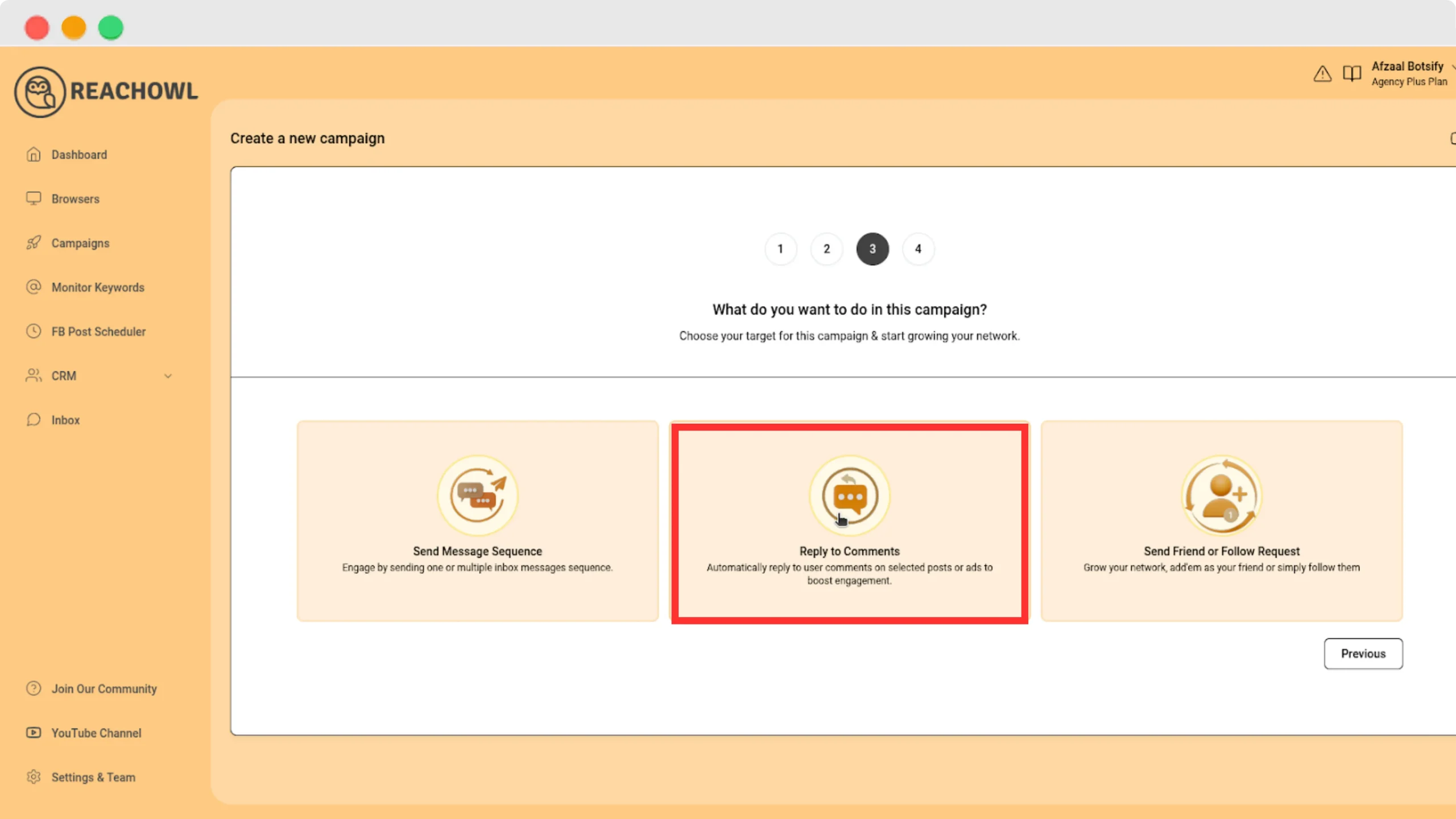
Step 3: Select Facebook Post / Ad Comments
Inside the campaign options, select:
Facebook Post / Ad Comments
This option enables automation for replying to comments on posts.
Step 4: Paste the Facebook Post Link
Copy the link of the Facebook post where you want to monitor comments.
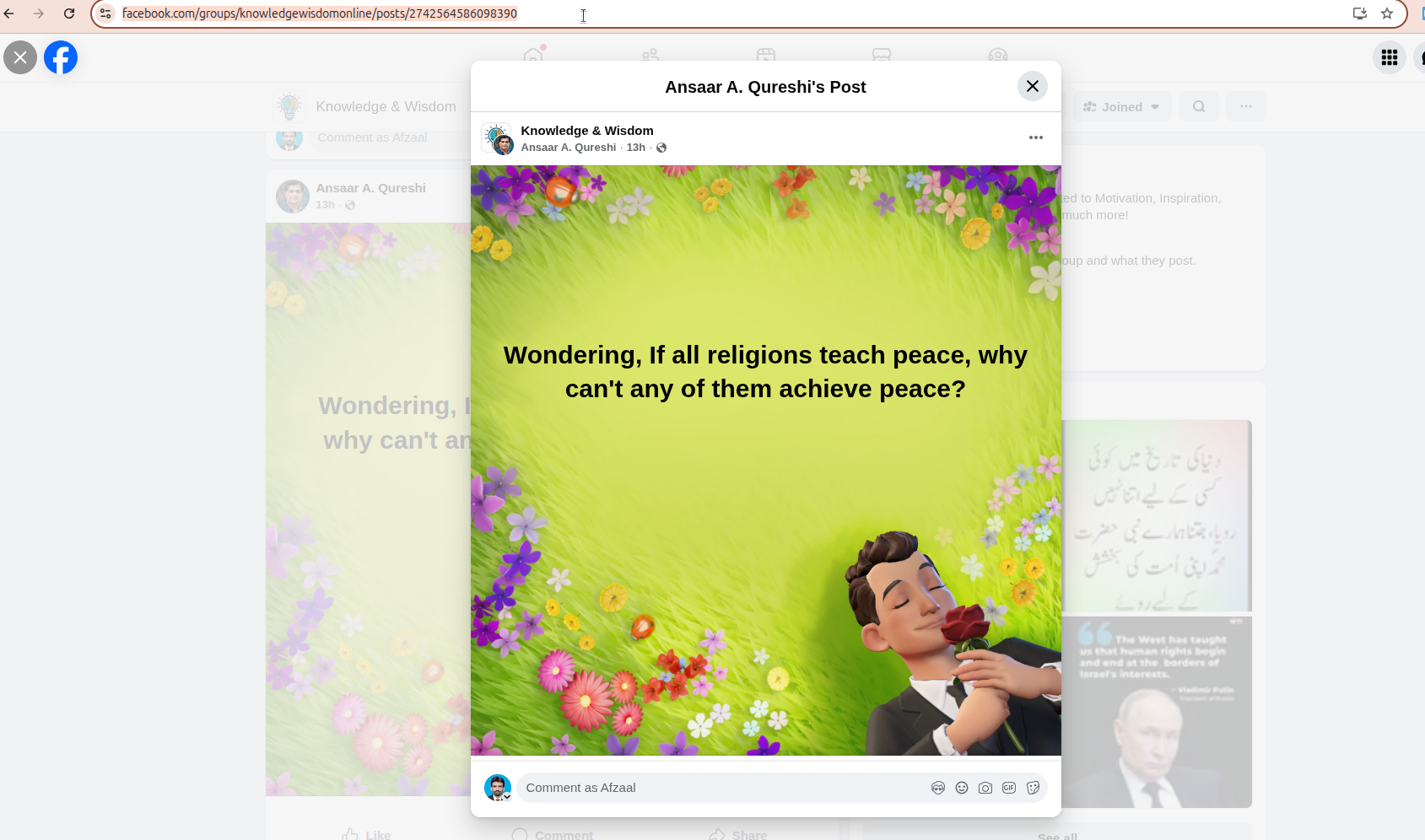
Paste the link into the campaign input field.

This can be:
- A Facebook Group Post
- A Facebook Page Post
- A Facebook Advertisement
Step 5: Add Keyword Filters
Now configure your filtering rules.

Example:
Include Keywords
- interested
- info
- details
- guide
Exclude Keywords
- test
- spam
- bot
These filters help ensure only relevant users receive replies.
Step 6: Write Your Reply Message
Next, create the reply message that will be posted as a comment.

Example reply message:
Hi! Thanks for your interest.
I’ve sent you more details in a private message. Please check your inbox.
This encourages users to continue the conversation.
Step 7: Save the Campaign
Click the Save button to activate the campaign.
ReachOwl will now automatically monitor the post and reply to new comments based on your settings.
How to Verify the Replies
You can verify replies directly on Facebook.

Inside the campaign dashboard, click:
View on Facebook
This will open the original post so you can confirm that replies are being posted correctly.
Example Use Cases
Automation becomes extremely powerful when used in marketing campaigns.
Lead Generation Campaigns
Marketers often ask users to comment with a keyword.
Example post:
Comment “INFO” below to receive the full guide.
When someone comments INFO, ReachOwl automatically replies.
Facebook Advertisement Campaigns
Facebook ads can generate hundreds of comments.
Instead of replying manually, automation can respond instantly.
Example:
Comment “DEMO” if you want to see a product demonstration.
Webinar Registrations
Automation can instantly send webinar registration information.
Example:
Comment “WEBINAR” to register.
Product Launch Campaigns
During a product launch, many users ask questions about pricing or features.
Automation can reply instantly with product information.
Best Practices for Facebook Comment Automation
To get the best results, follow these tips.
Use Natural Language
Your replies should sound friendly and human.
Example:
Thanks for your comment!
I’ve sent you more information in your inbox.
Avoid Spam Behavior
Posting the same reply hundreds of times too quickly can look suspicious.
Automation tools like ReachOwl include delay systems to keep activity natural.
Choose Keywords Carefully
Select keywords that show real interest.
Good keywords include:
- interested
- info
- details
- price
Use Clear Call-to-Actions
Encourage users to take the next step.
Examples:
- Check your inbox
- Click the link
- Reply to continue
Why Businesses Use ReachOwl for Facebook Automation
ReachOwl is designed specifically for Facebook & Instagram outreach and lead generation.
Key capabilities include:
- Facebook lead extraction
- Automated messaging campaigns
- Comment reply automation
- Group audience targeting
- Message sequences
By combining these features, businesses can build powerful Facebook marketing funnels.
Final Thoughts
Facebook comments represent one of the most valuable engagement opportunities for businesses. Every comment could be a potential lead or customer.
However, manually replying to every comment is not scalable.
With ReachOwl, you can automate comment replies, filter responses using keywords, and instantly engage with interested users.
This allows you to turn Facebook engagement into real conversations and qualified leads.
If you want to scale your Facebook marketing and respond to comments instantly, comment reply automation can make a huge difference.