
Connect AI agents to ReachOwl with MCP. Let Cursor, Claude, ChatGPT, and other AI clients manage campaigns, leads, keyword monitors, scheduling, and social automation with ReachOwl MCP
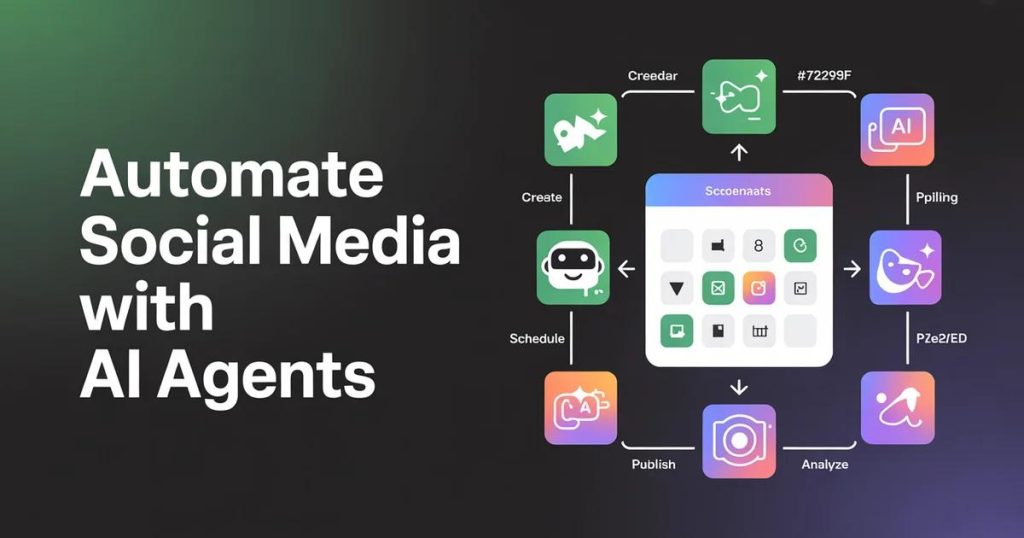
ReachOwl MCP: Bringing AI Agents to Social Media Automation
AI is moving beyond simply generating text and answering questions.
Today, AI agents can take actions, interact with tools, access external data, and execute workflows on behalf of users.
That is where ReachOwl MCP comes in.
ReachOwl now provides an MCP (Model Context Protocol) server that allows compatible AI clients and agents to connect directly to ReachOwl and work with its social outreach capabilities.
Instead of manually switching between your AI assistant and ReachOwl, you can give your AI agent access to ReachOwl as a tool.
What Is ReachOwl MCP?
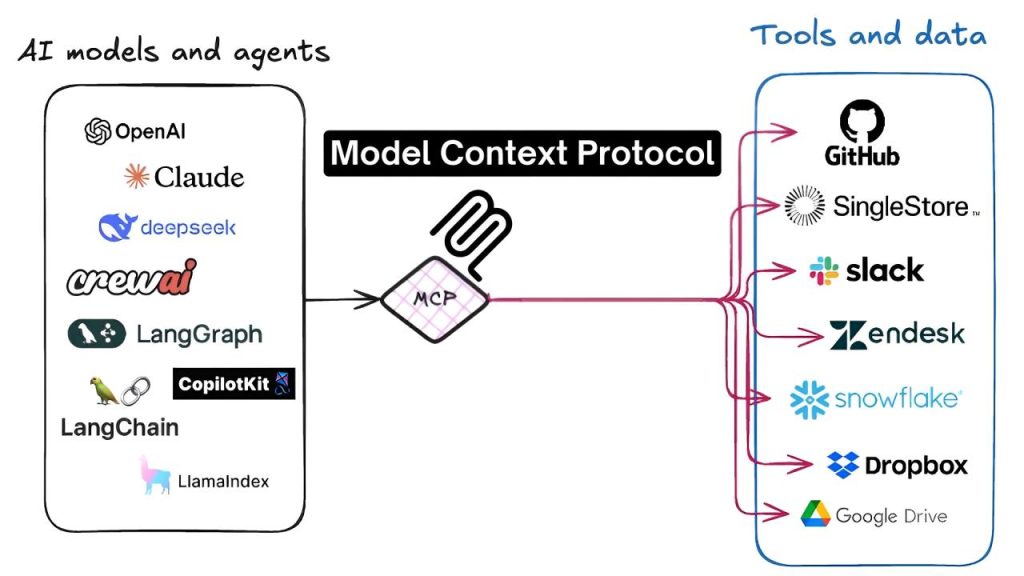
ReachOwl MCP is a bridge between AI agents and the ReachOwl platform.
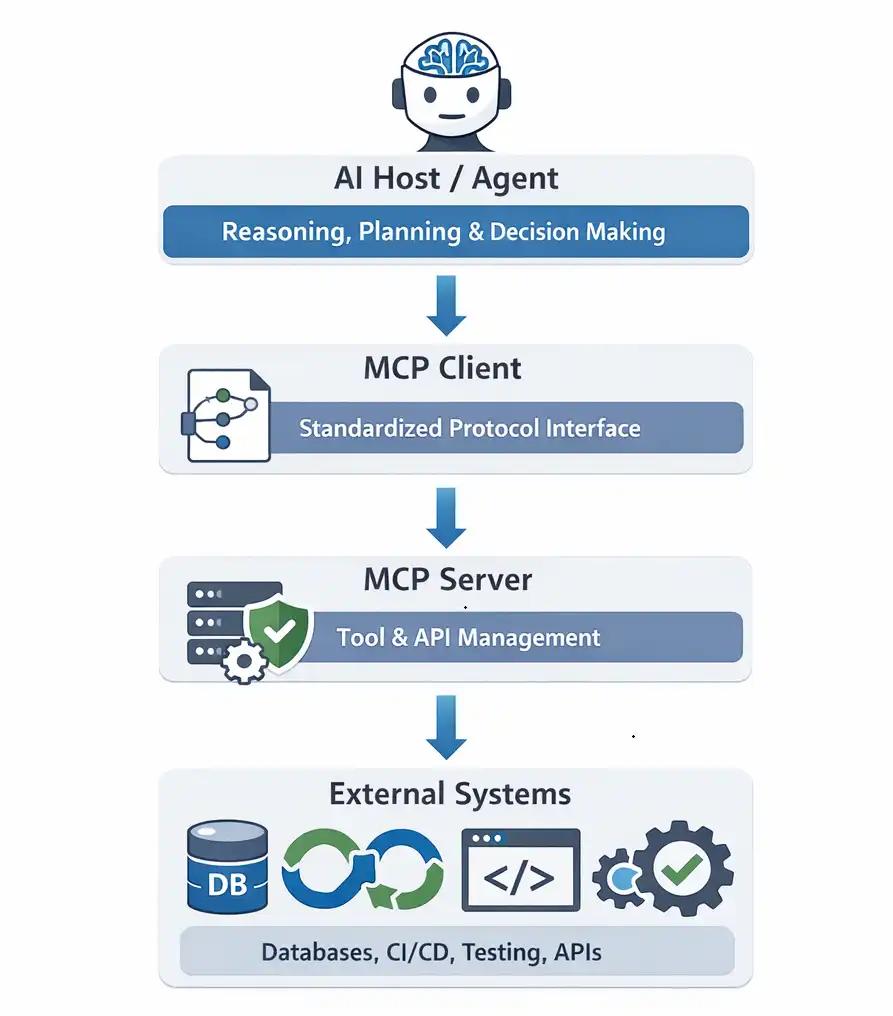
MCP allows AI applications to communicate with external tools and services using a standardized protocol.
With ReachOwl MCP, compatible AI clients can interact with ReachOwl resources through natural-language instructions.
For example, instead of manually navigating through multiple screens, you could ask an AI agent:
“Show me my active campaigns.”
Or:
“Create a campaign for these leads.”
The AI agent can use the available ReachOwl tools to perform the appropriate actions.
What Can AI Agents Do With ReachOwl?
ReachOwl MCP exposes functionality around several important parts of your outreach workflow.
Depending on the available permissions and tools, AI agents can work with:
- Campaigns
- Contacts and leads
- Keyword monitors
- Facebook and Instagram workflows
- Post scheduling
- Profile growth
- Teams and resources
- Webhooks
- Campaign execution
- Outreach data
This turns ReachOwl from something you operate manually into a platform that can also become an action layer for AI-powered workflows.
ReachOwl + AI Agents
Imagine an AI agent responsible for your lead-generation workflow.
You could give it a task such as:
“Find the campaigns that are currently running and summarize their performance.”
The agent can connect to ReachOwl, retrieve the relevant information, and provide the result.
Another workflow could look like:
Lead data → AI agent → ReachOwl → Campaign → Social outreach
This opens the door to much more powerful automation.
AI can handle the reasoning and decision-making, while ReachOwl handles the social outreach infrastructure.
Connect ReachOwl With Claude, Cursor, ChatGPT and Other MCP Clients
ReachOwl provides an MCP connection designed to work with compatible MCP clients.
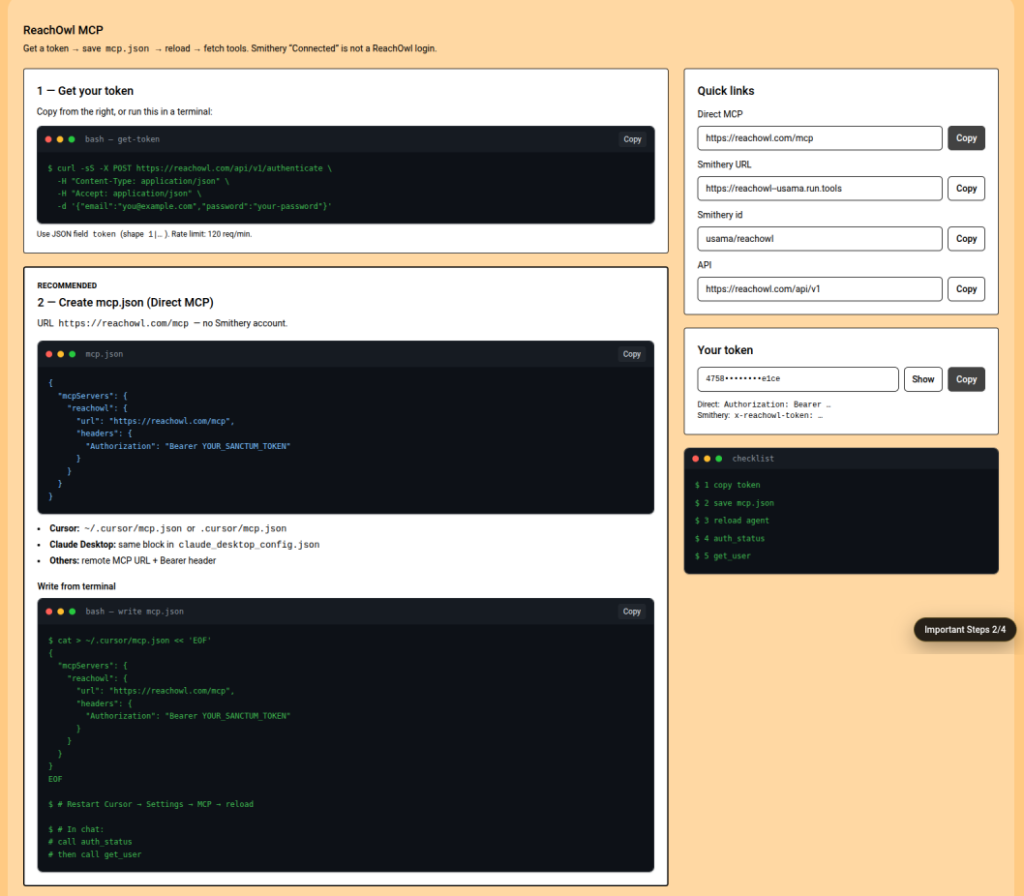
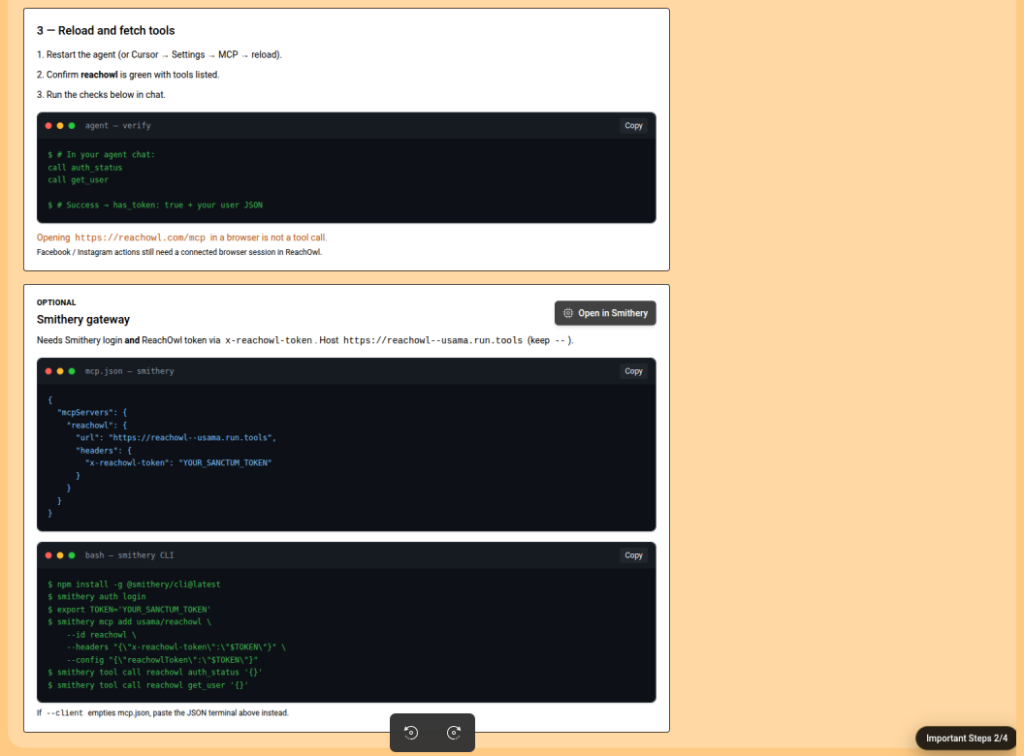
From the ReachOwl dashboard, developers can access the MCP connection information, authentication details, and configuration instructions.
The recommended setup uses Smithery, while developers can also configure ReachOwl MCP locally for clients such as Cursor or Claude Desktop.
ReachOwl Developer Documentation
How ReachOwl MCP Works
The architecture is simple:
AI Client → ReachOwl MCP → ReachOwl API → ReachOwl Resources
The AI client communicates with the MCP server.
The MCP server translates those requests into ReachOwl API operations.
ReachOwl then performs the requested operation and returns the result to the AI agent.
This means developers don’t need to build a completely separate integration for every AI client.
Once the MCP connection is configured, compatible AI applications can use the available ReachOwl tools.
Authenticate Your AI Agent
ReachOwl MCP uses authenticated access to protect your account and resources.
Developers can generate or use a Bearer token from the ReachOwl authentication section and provide it when configuring their MCP client.
For example, an MCP client can be configured with an authorization header:
Authorization: Bearer YOUR_REACHOWL_TOKENImportant: Never share your Bearer token publicly or commit it to GitHub. Treat it like a password and rotate it if it is accidentally exposed.
Build AI-Powered Outreach Workflows
The real value of MCP isn’t simply connecting an AI assistant to another application.
It’s the ability to combine reasoning + actions.
For example, an AI agent could potentially:
- Read your ReachOwl campaigns.
- Identify campaigns that need attention.
- Review available leads.
- Create or update an outreach workflow.
- Monitor relevant keywords.
- Schedule social posts.
- Report the results back to you.
This creates a new type of workflow where AI doesn’t just tell you what to do — it can interact with the tools that help you do it.
Why Developers Should Use ReachOwl MCP
1. Build AI agents faster
Instead of creating custom integrations from scratch, developers can use the MCP interface to connect AI clients with ReachOwl.
2. Automate repetitive workflows
AI agents can handle repetitive tasks around campaigns, leads, monitoring, and other ReachOwl resources.
3. Use natural-language commands
Developers and teams can interact with supported ReachOwl functionality through AI interfaces instead of manually performing every operation.
4. Combine multiple tools
MCP becomes especially powerful when ReachOwl is combined with other tools available to an AI agent.
For example:
CRM + AI + ReachOwl + Data Sources
can become one automated workflow.
Who Is ReachOwl MCP For?
ReachOwl MCP is especially useful for:
- AI agent developers
- SaaS developers
- Automation developers
- Marketing automation teams
- Growth teams
- Agencies
- Developers building custom AI assistants
- Users working with Claude, Cursor, ChatGPT and other MCP-compatible clients
If you’re building an AI agent that needs to interact with social outreach workflows, ReachOwl MCP can provide the connection layer.
Start Building With ReachOwl MCP
The next generation of AI applications will not only answer questions. They will interact with the tools people already use.
ReachOwl MCP makes it possible to connect AI agents with ReachOwl’s social outreach capabilities and build workflows around campaigns, contacts, scheduling, monitoring, and automation.
Ready to connect your AI agent to ReachOwl?
Start here:
MCP Server:
Connect ReachOwl MCP on Smithery
Hosted MCP Endpoint:
ReachOwl MCP Server
Developer API Documentation:
ReachOwl Developer Docs
Build AI-powered social outreach with ReachOwl.
Suggested CTA
Build AI-Powered Social Automation with ReachOwl
Connect ReachOwl with your AI agent and start automating your outreach workflows.
One important change I’d make to your current MCP page
Your screenshot currently says:
“Connect Cursor, Claude, ChatGPT, and other MCP clients to your ReachOwl account.”
I’d change the headline to something more developer/AI-agent focused:
ReachOwl MCP, Connect AI Agents to Social Outreach
Subtitle:
Give AI agents secure access to ReachOwl campaigns, leads, monitors, scheduling, and automation workflows.
And add a small section:
Built for AI Agents
ReachOwl MCP lets AI agents interact with ReachOwl through a standardized tool interface, making it easier to build autonomous sales, marketing, and social outreach workflows.
This makes MCP feel like a major developer capability, rather than just another connection method.