At ReachOwl, our mission is to help you take full control of your social networking in a smarter, more efficient way. As your online community grows, it’s natural for your friend list to become filled with inactive, irrelevant, or disengaged connections that no longer add value to your network.
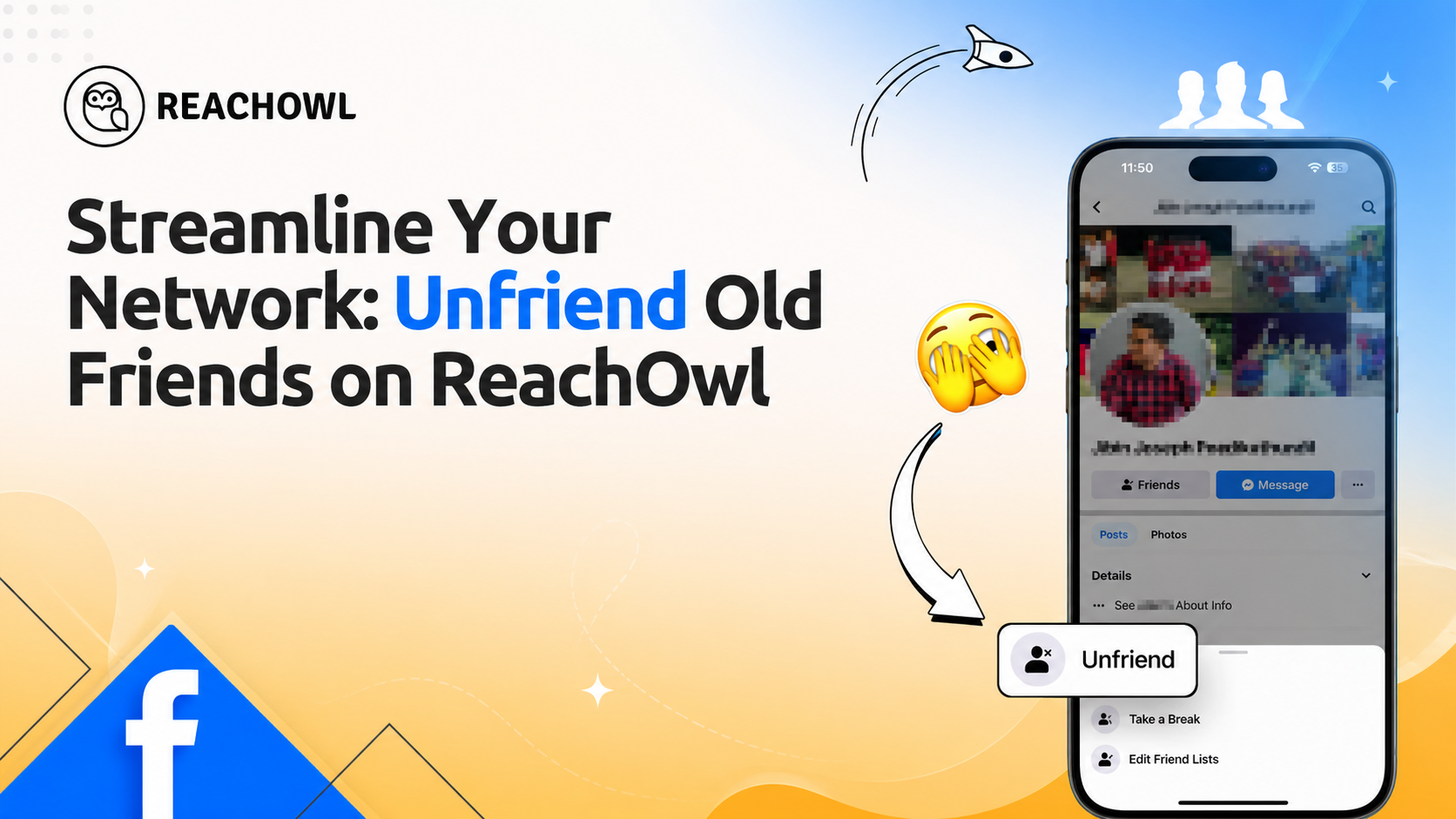
That’s exactly why we’ve introduced our “Unfriend Old Friends” feature — designed to help you clean up and optimize your social circle in just a few clicks. Instead of manually scrolling through hundreds or even thousands of profiles, ReachOwl intelligently helps you identify outdated connections so you can focus only on meaningful, active relationships.
With this feature, you can:
- Easily detect inactive or low-engagement friends
- Review connections in a structured and simple interface
- Unfriend safely without losing control of your account
- Maintain a clean, relevant, and high-quality social network
And the best part? ReachOwl is now available with a Lifetime Deal, giving you full access to powerful automation tools without recurring monthly fees.
👉 Get started here: https://reachowl.com/landing
Take control of your network, remove the noise, and keep your social circle truly meaningful with ReachOwl.
Why This Feature Matters
- Identify inactive friends automatically.
- Quickly review and manage connections without endless scrolling.
- Unfriend safely and privately, keeping your network relevant and engaging.
How ReachOwl’s Feature “Unfriend Old Friends” Works
- Apply Bio Keyword Filters – ReachOwl scans your Facebook friends based on the keywords you set in the bio filter (e.g., “school”).
- Exclude Specific Profiles – You can exclude certain users by adding negative keywords (e.g., “college”) to protect important connections.
- Scan Matching Profiles – The system finds friends whose profiles match your filter criteria.
- Automated Unfriending – ReachOwl then unfriends matching profiles one by one, based on your daily limit settings.
You control the filters and limits, ReachOwl simply executes the process automatically.
Benefits
- Declutter Your Feed: Focus on active, meaningful connections.
- Boost Engagement: Interact with friends who genuinely engage with you.
- Protect Your Privacy: Reduce connections that are no longer relevant or trusted.
Create an “Unfriend Old Friends” Campaign on Facebook
Managing your social network has never been easier! With ReachOwl’s Unfriend Old Friends feature, you can create smart campaigns to automatically identify and remove old, inactive, or irrelevant Facebook friends.
Instead of manually going through your entire friend list, ReachOwl helps you streamline the process by allowing you to set up an Unfriend campaign that keeps your network clean, active, and meaningful.
This ensures you stay connected only with real, engaged connections while saving time and reducing clutter in your social profile.
Step 1: Go to Campaigns
- Log in to your ReachOwl dashboard.
- From the left sidebar, click on Campaigns.
- Click Create New Campaign.
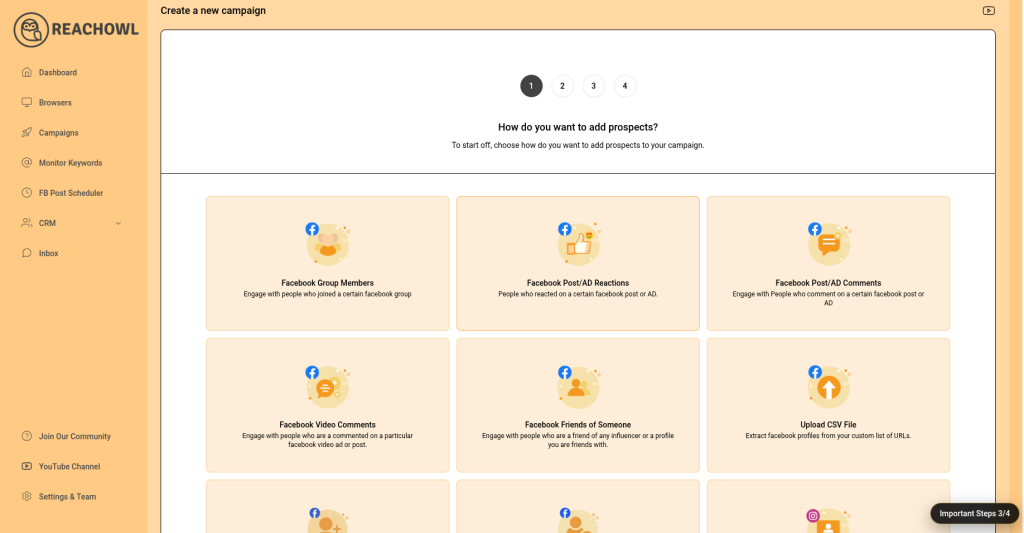
Step 2: Choose Campaign Type
- Select any Facebook prospects
- Then complete the next step past URL or select Facebook Group
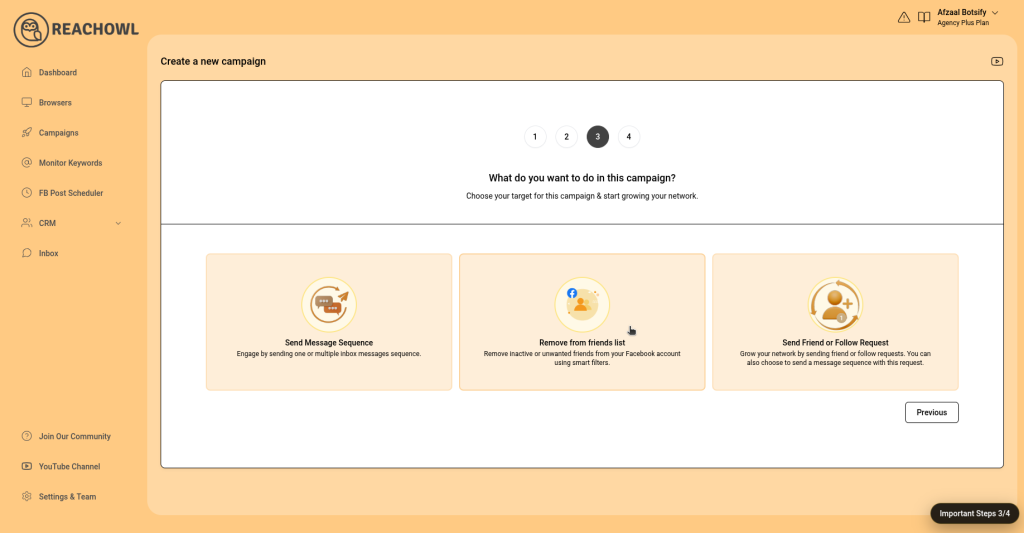
Step 3: Select The Type Remove From Friends List
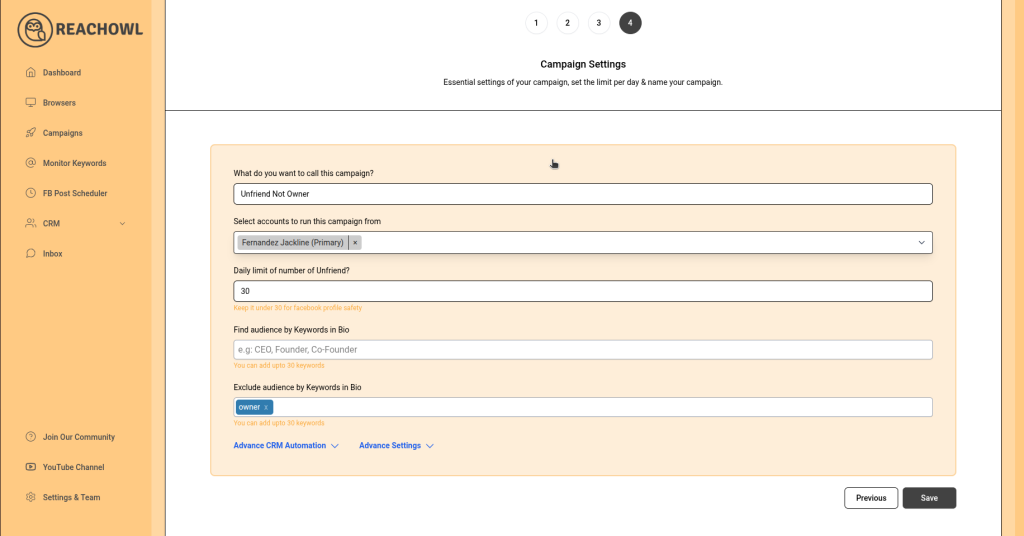
Step 4: Configure Campaign Settings
- Campaign Name: Give your campaign a name (e.g., “Clean Old Friends”).
- Select Account: Choose the Facebook account you want to manage.
- Daily Limit: Set how many friends to unfriend per day (recommended: start with 5–10).
Step 5: Use Smart Filters
Refine your audience using keyword filters:
- Find Audience by Keywords in Bio: Add keywords like school to target specific users.
- Exclude Audience by Keywords: Add keywords like college to avoid removing important connections.
You can add up to 30 keywords for better targeting.
Step 6: Launch the Campaign
- Click Save to start the campaign.
- ReachOwl will begin scanning your friends list.
- It may take a few minutes to collect data.
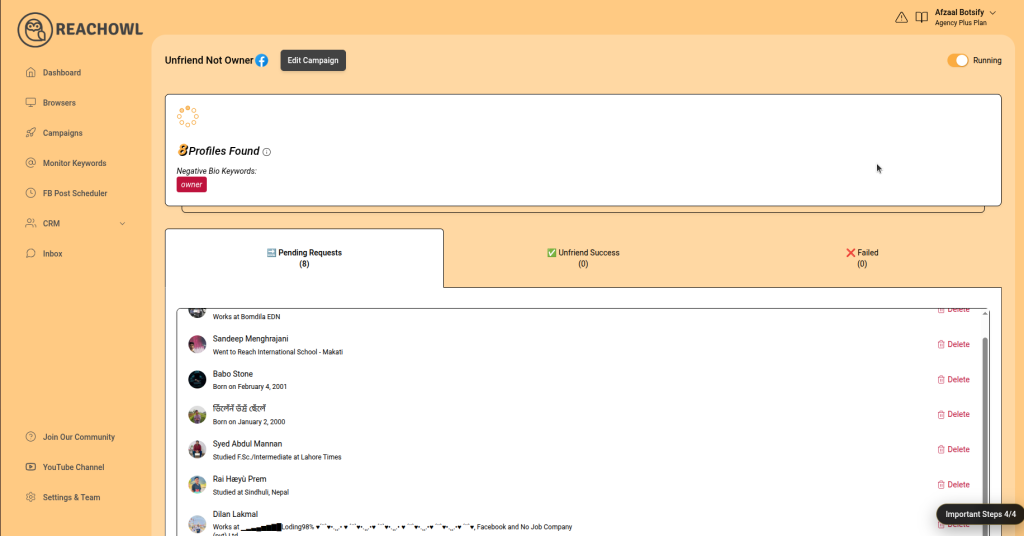
Step 7: Monitor Campaign Results
- View how many profiles are found.
- Track campaign progress:
- Pending Requests
- Unfriend Success
- Failed Attempts
Tips for Best Results
- Start with a low daily limit to stay safe.
- Double-check your keyword filters before running the campaign.
- Run campaigns periodically to keep your network clean.
Final Thoughts
With ReachOwl’s Unfriend Old Friends feature, managing your Facebook network becomes faster, smarter, and stress-free. Instead of manually reviewing hundreds of connections, you can automate the process while staying fully in control.
Start your campaign today and enjoy a cleaner, more meaningful social network!
👉 Learn more: https://reachowl.com/landing
🔗 Follow us on LinkedIn: https://www.linkedin.com/company/reachowl